Is letting Google Chrome, Safari, or Microsoft Edge save your credentials good enough in 2026? While browser autofill offers unmatched convenience, modern threat telemetry reveals severe vulnerabilities to commodity infostealer malware, invisible iframe harvesting, and automated phishing. In this benchmark, we break down the critical architectural differences between browser autofill and dedicated vaults like Bitwarden and 1Password.
Simulate brute-force hash-cracking resilience across modern GPU clusters for your master passphrase. 100% client-side JavaScript, zero data transmitted.
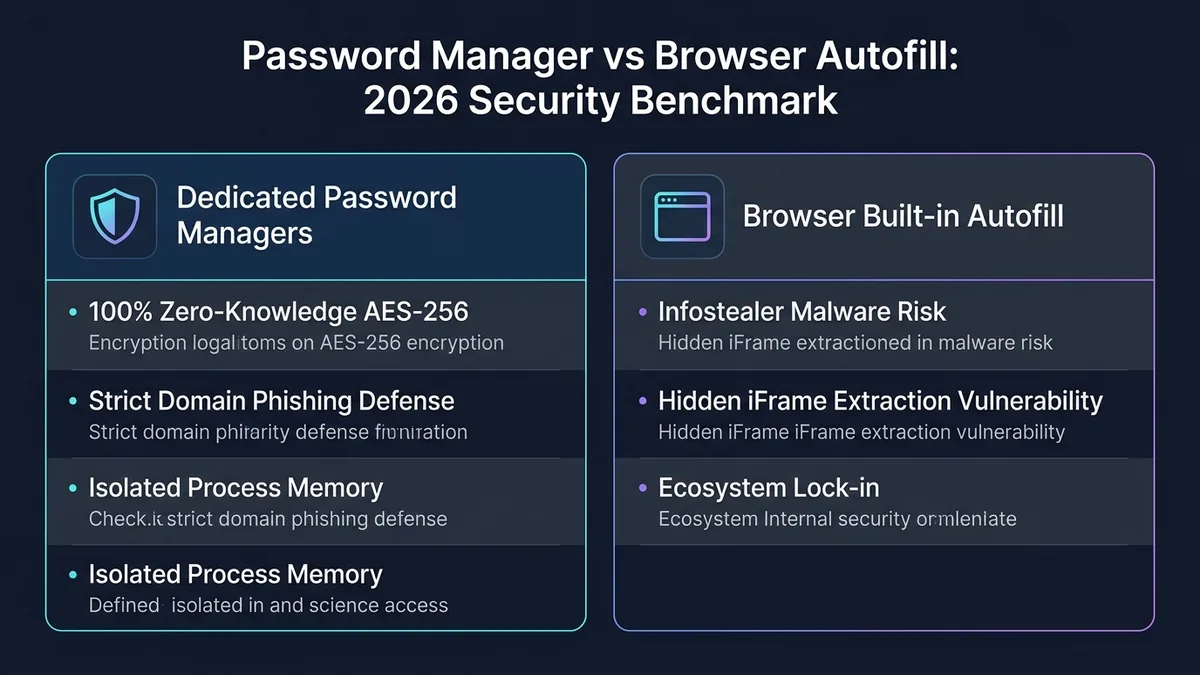
A dedicated password manager is structurally safer than browser autofill because it enforces strict domain and TLS certificate matching, completely preventing credential leakage to phishing lookalikes. Furthermore, dedicated vaults isolate master encryption keys in volatile device memory, protecting client vaults from commodity infostealer malware (RedLine, Lumma) that routinely harvests unencrypted browser SQLite databases.
1 Is Browser Autofill Actually Safe Enough for Freelancers in 2026?
A Reddit post in r/cybersecurity_help captures the exact decision point many freelancers face: someone explicitly asks which is more convenient and what the actual advantages of a dedicated manager are, before committing to switching from browser autofill.
2 Security Architecture: Why Are Dedicated Password Managers Mathematically Safer?
1Password’s own comparison explains why this matters specifically: 1Password is positioned as a better choice than Safari, Edge, Firefox, and Chrome’s built-in managers on security architecture grounds, not just convenience.
This isn’t hypothetical: researchers at Princeton’s Center for Information Technology Policy documented third-party tracking scripts abusing browser autofill via hidden login forms to exfiltrate identifying information, without any visible sign to the user.
- Zero-Knowledge Memory: Dedicated managers store encryption keys in isolated process memory, destroying them immediately upon vault timeout.
- Strict Origin Validation: Dedicated managers will never autofill credentials if the domain, sub-domain, or TLS certificate differs even by a single character.
- Cross-Platform Sovereignty: Sync credentials across Mac, Windows, Linux, Android, and iOS without being locked into a single browser ecosystem.
3 Infostealer Malware & Phishing: What Are the Real Risks of Browser Autofill?
Keeper Security’s analysis adds a practical limitation: browser password managers don’t let you save more than just passwords, while a dedicated manager handles secure notes, payment info, and more in one encrypted vault.
“Browser password managers store passwords in encrypted databases, but they keep the encryption keys unprotected, just like leaving a house key under the doormat.” — Keeper Security
Commodity infostealer malware families like RedLine, Lumma, and Vidar are built specifically to hunt for browser credential databases on a compromised machine, and can pull out hundreds of saved logins within seconds once they find one.
- SQLite Database Extraction: Browsers store vault logins in local application folders that malware running with user privileges can easily dump.
- Hidden Form Fields: Phishing web pages inject invisible input boxes that trigger browser auto-fill without the user noticing.
- Master Password Absence: Most browsers allow anyone with physical access or unlocked laptop access to view all saved passwords in plain text.
4 Feature Benchmark: How Does Dedicated Vault Security Compare to Chrome & Safari?
| Factor | Browser Autofill | Dedicated Manager |
|---|---|---|
| Phishing Protection | Weaker (per Twine) | Stronger, dedicated design |
| Cross-Platform | Limited to one browser ecosystem | Works everywhere |
| Stores Beyond Passwords | No (per Keeper Security) | Yes, notes, payments, more |
5 Vault Migration: How Do You Seamlessly Export Credentials From Your Browser?
Switching over is less painful than most freelancers expect. Chrome, Safari, and Firefox all let you export saved logins as a CSV file, and every major password manager (1Password, Bitwarden, NordPass) has a one-click CSV import. For a typical freelancer’s list of client logins, the whole thing takes about 15 minutes. See our review of the top-rated password manager for freelancers, or our complete password manager guide if you’re still comparing options.
The part people miss: that exported CSV sits on your hard drive in plain text. Anyone with physical access to your laptop, or malware scanning your Downloads folder, can open it and read every password. Delete the file the moment the import finishes, then empty your trash. Don’t keep it “just in case” — that defeats the entire point of switching.
One more step people skip: after importing, go back into your browser settings and turn off the save-password prompt. Otherwise the browser keeps offering to save new logins going forward, and you end up maintaining two out-of-sync password stores — the exact fragmentation a password manager exists to fix.
6 Practical Tradeoffs: Where Do Dedicated Password Managers Still Have Friction?
None of this makes dedicated managers flawless. Two tradeoffs worth knowing before you commit:
One master password to rule them all. Browser autofill spreads risk across your Google or Apple account plus whatever device security you already have. A password manager consolidates everything behind a single master password — lose that, or get phished for it, and an attacker potentially has every credential you own in one sitting. That’s exactly why 2FA on the manager itself isn’t optional; treat it as mandatory, not a nice-to-have.
You’re trusting a smaller third party’s cloud. Free browser autofill syncs through infrastructure Google or Apple already run at massive scale. A dedicated manager means trusting a smaller company’s servers and update pipeline instead. Most have a solid track record — Bitwarden and 1Password both publish regular third-party security audits — but it’s a dependency browser autofill simply doesn’t add.
For a freelancer juggling five or six client logins across devices, the tradeoff still favors a dedicated manager. Just don’t skip the 2FA setup on day one.
7 Frequently Asked Questions: What Do Users Ask About Browser Autofill Security?
Is browser autofill actually less secure?
Yes — Twine’s direct comparison states a dedicated manager protects against phishing better, since it verifies the exact domain before filling credentials.
Should I disable autofill even in a dedicated manager?
A detailed security analysis specifically recommends this, noting autofill is enabled by default even though it reduces security in certain attack scenarios.
Can browser password managers store more than passwords?
No — Keeper Security’s analysis specifically notes browser managers don’t support secure notes or payment info the way dedicated managers do.
Can I migrate saved browser passwords to a manager?
Yes, all major password managers support importing directly from Chrome, Safari, and Firefox saved passwords.
How secure is Google’s built-in password manager?
Google Password Manager encrypts saved credentials and syncs them across Chrome and Android, which is a real improvement over no password manager at all. But it lacks the phishing-domain matching and cross-browser support of a dedicated manager like 1Password or Bitwarden, and it ties your entire vault to your Google account — if that account is compromised, every saved password is exposed alongside it. For a freelancer storing client logins, a dedicated manager with its own independent master password is the safer separation.
8 Final Verdict: Should You Switch From Browser Autofill in 2026?
For freelancers managing multiple clients and devices, a dedicated password manager outperforms browser autofill on phishing protection, cross-platform support, and storage versatility — confirmed consistently across independent security analyses.
