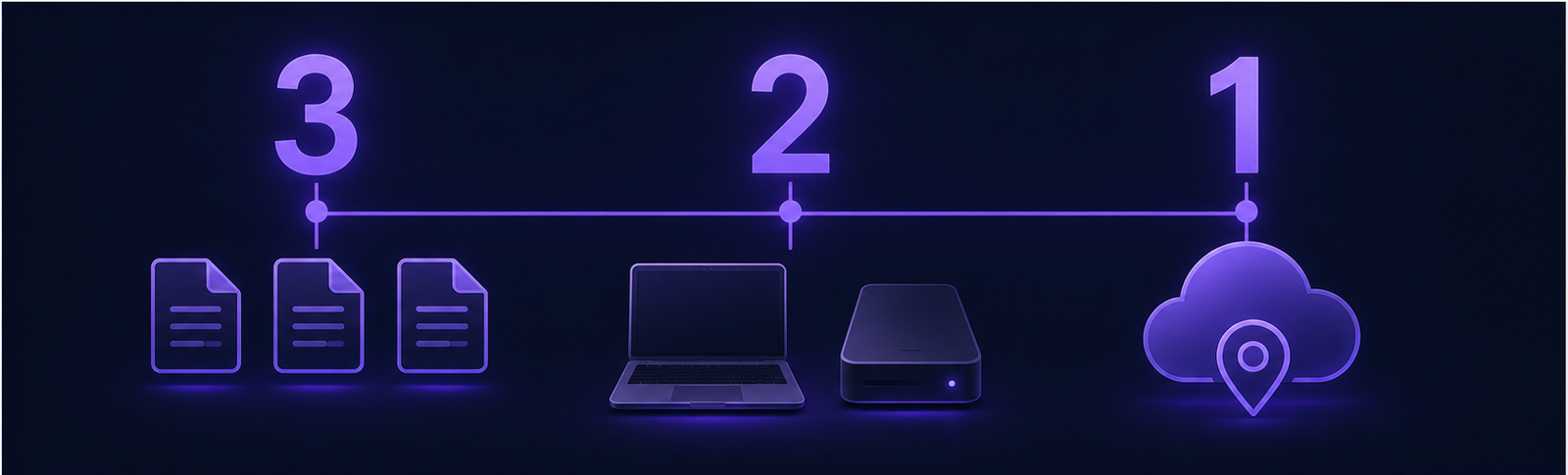
The 3-2-1 backup rule is the single most battle-tested data protection framework in modern computing. For solo professionals and freelancers, losing an active client database or project archive can destroy a business overnight. Here is how to implement the standard 3-2-1 model, deploy the newer 3-2-1-1-0 ransomware-resistant variant, and audit your backups so you never face catastrophic data loss.
Filter backup providers by cold-storage tier, per-TB pricing, private encryption keys (Zero-Knowledge), and versioning retention to find the most secure cloud for your client archives.
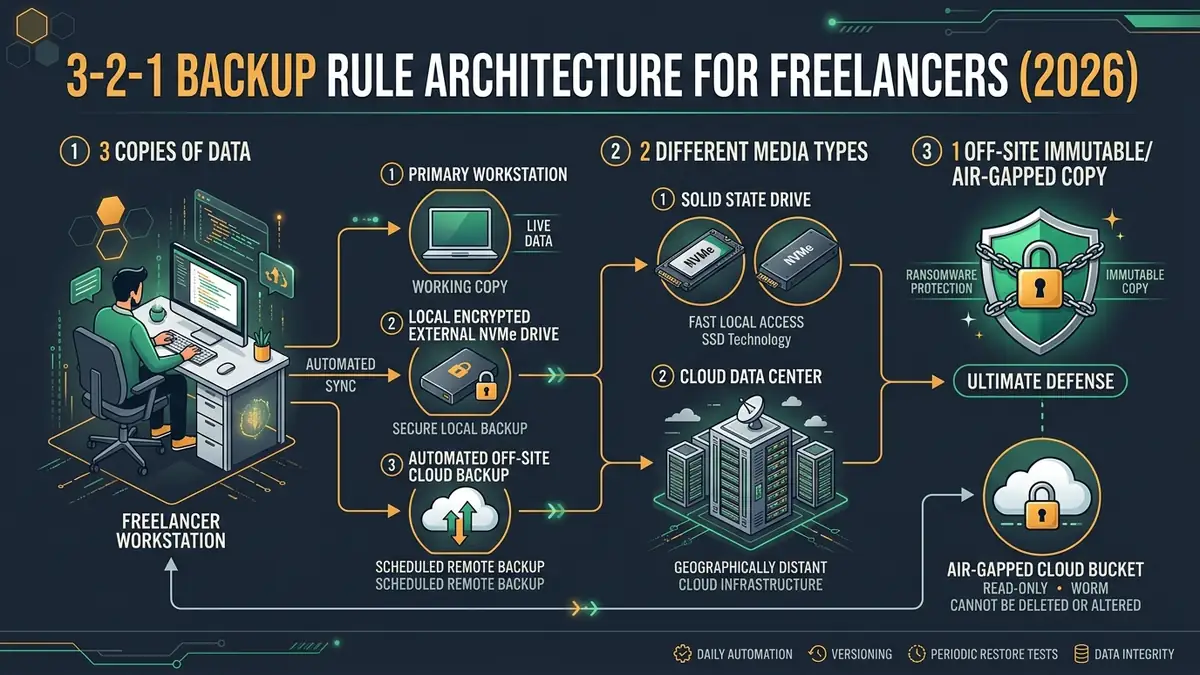
| Rule “3” (Copies) | 3 Total Copies: 1 primary working file + 2 independent backups. |
| Rule “2” (Media) | 2 Different Formats: Local NVMe/SSD + external hard drive or NAS (avoids single-controller failure). |
| Rule “1” (Location) | 1 Off-Site Copy: Automated remote cloud storage (Backblaze) to survive physical theft, fire, or hardware loss. |
| Rule “1-0” (Modern) | 1 Immutable / 0 Errors: WORM immutable storage against ransomware + periodic test file restoration. |
1 What Experts Say and Why Community Debates Persist Around 3-2-1
A Reddit thread in r/DataHoarder makes a point worth taking seriously: the 3-2-1 backup rule seems simple on paper, but practitioners disagree over whether having two partitions on the same disk counts, whether cloud storage qualifies as an off-site copy, and whether modern ransomware requires an updated formula.
Understanding these debates is the difference between a backup that works when disaster strikes and one that gives you a dangerous false sense of security.
- 3 Copies of Critical Files: One primary working file + two independent backups.
- 2 Different Media Formats: Internal SSD/NVMe + external local hard drive or NAS (protects against single-hardware firmware failures).
- 1 Geographically Remote Off-Site Copy: Automated cloud backup (like Backblaze) to withstand burglary, fire, flood, or hardware theft.
- Sync ≠ Backup: Cloud sync services like Dropbox and Google Drive mirror deletions and ransomware; true backups preserve point-in-time version history.
“The 3-2-1 backup strategy remains the foundational baseline for cyber resilience: keep 3 copies of important data on 2 different media types, with at least 1 copy off-site and air-gapped from local network threats.”
2 What the 3-2-1 Backup Rule Actually Means in Practice
Every major explainer agrees on the backup rule’s core structure. Backblaze, Veeam, and Huntress all summarize it identically: keep at least three copies of your data, store two backup copies on different storage media, and keep at least one copy located off-site.
The reasoning is simple math: the probability of three independent storage media failing simultaneously in three separate locations is vanishingly small. If your primary laptop NVMe SSD fries, your external drive has you back up in 15 minutes. If a fire or theft takes both your laptop and your desk drive, your off-site cloud backup saves your client business.
“There are two groups of people: those who have had a storage failure, and those who are about to. The 3-2-1 rule isn’t just theory; it is practical insurance against mechanical drive breakdown, accidental deletion, and disaster.”
3 The Modern 3-2-1-1 and 3-2-1-1-0 Variants for Ransomware Immunity
The active Reddit discussion debates whether the classic 3-2-1 rule is adequate against modern ransomware. Threat actors no longer just encrypt your local computer; they actively scan local networks, mount shared network drives, and encrypt local backup disks connected via USB.
This reality produced the 3-2-1-1 rule: maintain 3 copies, on 2 different media, 1 off-site, plus 1 immutable or air-gapped copy that cannot be modified, deleted, or overwritten by any credentials on the local computer.
Enterprise environments often adopt the 3-2-1-1-0 rule, adding a final requirement: 0 errors verified via automated daily test restores.
4 Backup Framework Comparison Matrix: Traditional 3-2-1 vs Modern 3-2-1-1-0
| Framework | Total Copies | Media Formats | Off-Site Copy | Immutable / Air-Gap | Zero Errors Verification | Best Suited For |
|---|---|---|---|---|---|---|
| Traditional 3-2-1 | 3 | 2 (SSD + Cloud) | 1 (Cloud Backup) | Optional | Manual | Solo freelancers, copywriters, consultants |
| Modern 3-2-1-1 | 3+ | 2 | 1 | 1 (WORM / Disconnected) | Recommended | Developers, photographers, agencies with high NDA |
| Enterprise 3-2-1-1-0 | 3+ | 2+ | 1 | 1 (Immutable Object Lock) | 0 (Automated daily test restore) | Enterprises, regulated health/finance client data |
5 How Can Freelancers Implement an Automated 3-2-1 Backup Pipeline?
Putting the backup rule into practice for a solo freelancer looks like this:
- Tier 1 (Working File): Your laptop NVMe SSD (fast, daily productive work).
- Tier 2 (Local Hourly Backup): External USB-C SSD running macOS Time Machine or Windows File History (restores accidental file deletions within 60 seconds).
- Tier 3 (Off-Site Continuous Cloud): Backblaze Computer Backup ($9/mo for unlimited storage, continuous background sync).
- Tier 4 (Cold Archive): An external hard drive kept disconnected in a fireproof safe or off-site co-working locker, updated monthly.
- Daily Local Snapshots: Keep an external 1TB SSD plugged in during workday hours for instant version history.
- Background Cloud Sync: Let Backblaze run silently in the background with zero throttles.
- Physical Air-Gap: Unplug secondary external storage drives when not actively backing up to ensure ransomware cannot traverse them.
6 Why File Restoration Testing Is the Critical Step Almost Everyone Skips
Following the backup rule to the letter means nothing if you’ve never confirmed you can get a file back. A backup is merely a hypothesis; a successful restore is the only proof.
Set a recurring calendar reminder every 90 days to perform a test restore: download an archived client project from your cloud provider and restore an older file from your local external drive. Verify file hashes and project opening in your editing software.
7 The Forgotten Copy: How to Protect Client Data Across Cloud SaaS Platforms
The backup rule assumes you know where your data lives, but for a lot of freelance work, some of your most critical assets exist inside SaaS tools: Notion, Figma, Google Workspace, GitHub, and QuickBooks.
Cloud providers maintain disaster recovery for their own data centers, but they do NOT protect you from accidental account deletion, rogue third-party integrations, or credential compromises. Export local monthly archives of critical SaaS projects to include them in your 3-2-1 backup pipeline.
8 Frequently Asked Questions About the 3-2-1 Backup Rule (2026)
Is there real disagreement about what the 3-2-1 backup rule means?
What’s the core, agreed-upon structure?
What does the newer 3-2-1-1 rule add?
Is cloud storage alone enough?
9 Final Verdict: The Non-Negotiable Backup Blueprint for Freelance Businesses
SafeStackPro Resilience Blueprint: Grade A+
The core 3-2-1 backup rule structure remains the gold standard across Backblaze, Veeam, and Huntress for one simple reason: it eliminates all single points of hardware and geographic failure. By combining a fast local external drive for 60-second operational restores with an automated, set-and-forget cloud backup like Backblaze, freelancers protect client trust, revenue, and years of hard work for under $10 a month.
