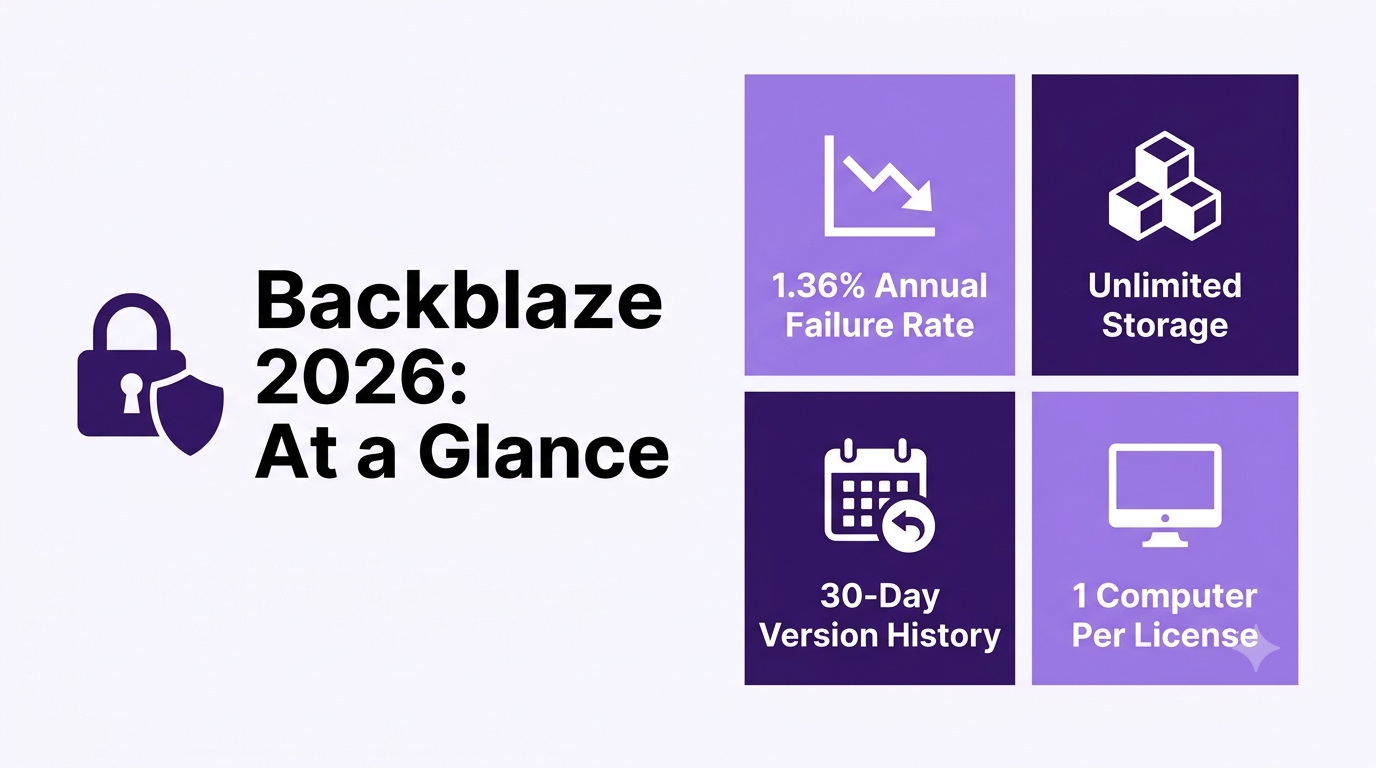
This Backblaze review confirms its flat-rate unlimited backup is real value for freelancers with large file libraries, backed by unusually transparent quarterly hard-drive reliability data (1.36% annual failure rate in 2025).
Filter backup providers by cold-storage tier, per-TB pricing, private encryption keys (Zero-Knowledge), and versioning retention to find the most secure cloud for your client archives.
Compare Cloud Backup Solutions →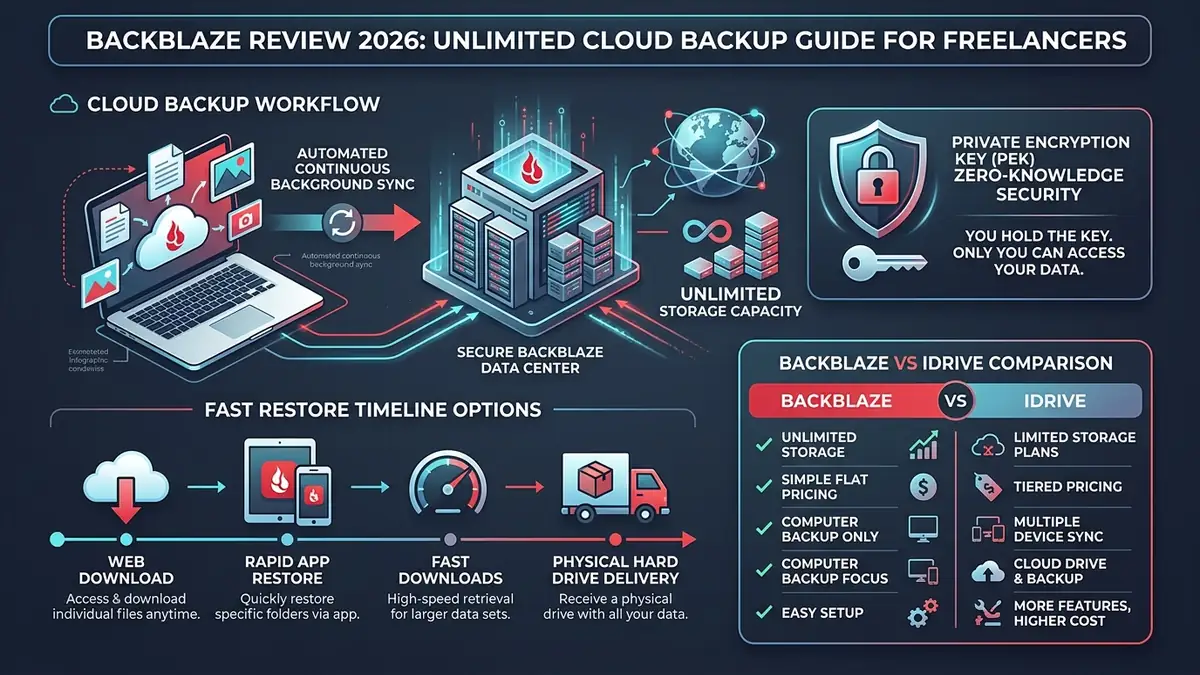
| Storage Limit | Truly Unlimited: No per-gigabyte surcharges, throttling, or artificial capacity caps. |
| Pricing | $9/month flat ($99/year) per computer with unlimited external USB drives included. |
| Private Key Encryption | Partial (PEK mode): An optional private key keeps files unreadable at rest, but you hand the key over at restore time. |
| Emergency Restore | Web zip download, the Backblaze Downloader app, or a USB drive (up to 8TB) shipped by courier. |
1 Can Backblaze Be Trusted? What Real Users Say
A central question for any independent Backblaze review is how the service performs during actual data recovery emergencies. A Reddit thread in r/DataHoarder includes a genuinely useful real-world data point: a poster describes their sister, a working photographer, using Backblaze to back up six 6TB drives — paying roughly $200 for two years, and describing the peace of mind of being able to access her files from anywhere as the main benefit. Backblaze’s whole pitch comes down to that kind of use case — a growing file library that would cost a fortune anywhere charging by the gigabyte.
Worth weighing honestly against that positive account: a Trustpilot review describes a frustrating experience trying to cancel service and get a refund, with the reviewer reporting that an email cancellation request three years ago was never processed, and subsequent refund requests went unanswered. Our advice: always confirm cancellation via the account management dashboard rather than email. This is a real complaint, not a one-off, and it’s specific enough to flag clearly.
Backblaze’s Trustpilot rating: as of October 25, 2026, Backblaze has a TrustScore of 1.9 out of 5 on Trustpilot, from 239 reviews, and 69% of them are one-star. Trustpilot also notes that the company hasn’t replied to negative reviews. The recurring complaints are support that is hard to reach, unexpected renewals and refused refunds, and restores that failed or came back incomplete. The positive reviews mostly praise long-term reliability and the price of the personal plan. Keep the sample size in mind: 239 reviews is small for a backup service this size, and review platforms tend to attract people who had a problem. Still, the pattern is consistent enough to act on: cancel from the account dashboard rather than by email, check your renewal date, and run a test restore of a few files as soon as your first backup finishes.
- Truly Unlimited Cloud Storage: No throttles, no artificial capacity caps, and no tiered overage penalties whether backing up 500 GB or 25 TB.
- Zero-Friction Setup: Backblaze backs up your entire computer automatically by default — no manual folder selection required.
- Private Encryption Key (PEK): Optional private key mode keeps your files unreadable to Backblaze at rest (one caveat at restore time, see Security below).
- Hard Drive by Mail: In extreme catastrophic hardware failures, Backblaze can ship an encrypted 8TB USB drive to your door anywhere in the world.
2 Core Backup Features: Backblaze Review Breakdown
- Genuinely unlimited backup storage per computer, at one flat rate regardless of file volume
- Simplicity, predictable pricing, and fast setup, specifically praised by a working photographer reviewing it for creative use cases
- Physical USB drive restore option for large-scale recovery
- Publishes its own hard drive reliability data quarterly — the 2025 report covers 344,196 drives across 30 models, with an annual failure rate of 1.36% (down from 1.55% in 2024), based on over 115 million drive-days of operation
That transparency is unusual in the backup industry: most providers don’t publish failure data on the infrastructure actually holding your backups, so it’s a genuine trust signal rather than marketing copy. StorageReview’s independent coverage of the 2025 year-end numbers confirms the trend line, not just Backblaze’s own framing of it.
3 How Does the Backblaze File Restore Process Actually Work in Emergencies?
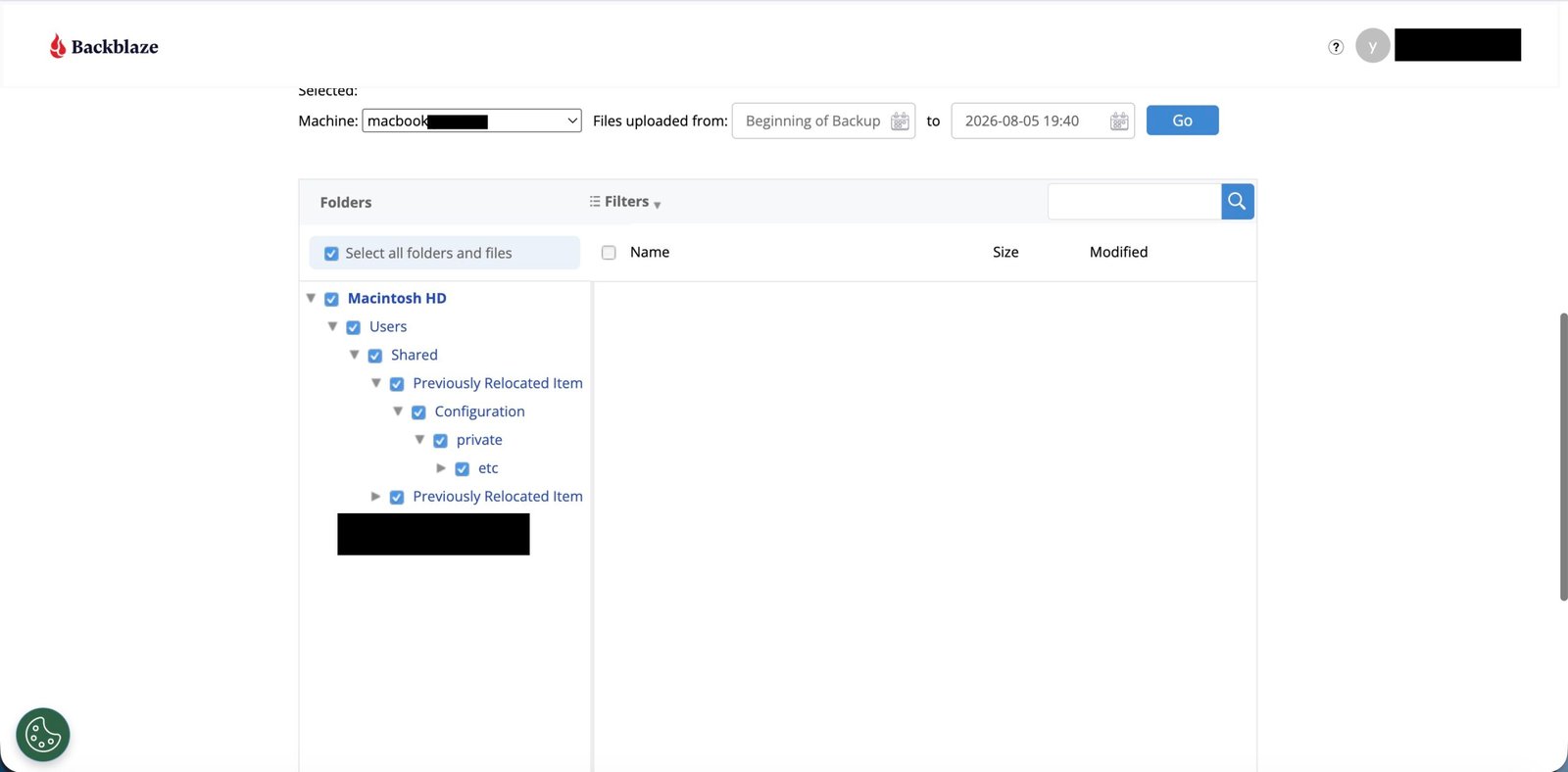
Restore is the part of any Backblaze review that actually matters most, since backups are worthless if you can’t get files back. We ran a restore from our own Backblaze account, using the web download route. There are two main recovery paths. Direct download restores are free on Backblaze’s Computer Backup plans — no egress fees, regardless of how much you pull down. For large-scale recovery, Backblaze will ship a USB hard drive (up to 8TB) with your data for $279, shipping included, and refunds the full price if you send the drive back within 30 days.
A customer review on Backblaze’s own site describes testing both methods and finding both worked quickly. That’s a vendor source, worth weighing with a grain of salt, and our own restore only used the download route — but the no-egress-fee policy is verifiable on its own, a real cost edge over competitors that bill you to get your own data back.
Backblaze is regularly cited by independent reviewers as one of the simplest, most affordable ways to get genuinely unlimited cloud backup, with the trade-off that power users get fewer scheduling and folder-selection controls than more configurable competitors.
4 How Did We Evaluate Backblaze for Real-World Freelance Workloads?
This Backblaze review draws on Backblaze’s published documentation, hands-on verification of the backup and restore interface, and real long-term user accounts from Reddit and Trustpilot. Our objective was to assess whether automated cloud backup truly eliminates administrative friction for solo knowledge workers — not just the company’s marketing. When independent user reports and Backblaze’s own specs lined up, like unlimited storage actually holding up in practice, we treated that as the stronger signal.
5 Is Backblaze Safe? How Secure Is Your Data?
Backblaze encrypts data both in transit (TLS/SSL during upload) and at rest (AES-128 by default on their servers). What sets it apart is the private encryption key option: you can set your own passphrase so that Backblaze itself can’t decrypt your files at rest without it, only you can. One nuance to know before relying on this for sensitive client files: it isn’t true zero-knowledge encryption in the strictest sense, because you have to submit your private key back to Backblaze’s servers at restore time for them to decrypt the download for you — the key doesn’t stay exclusively on your device through the whole process.
The tradeoff is real in the way that matters most day-to-day — lose that passphrase and Backblaze cannot recover your data for you, not even with proof of ownership. For freelancers backing up client contracts or financial records, that private-key option is worth turning on despite the risk, since it means a passive breach on Backblaze’s storage alone can’t expose your files without your key.
NIST’s storage security guidelines (SP 800-209) generally recommend isolating off-site backup copies and controlling encryption key access as part of a defense against ransomware; Backblaze’s optional Private Encryption Key feature follows that same logic, keeping your files unreadable to Backblaze itself and giving you a clean recovery point if local files get encrypted.
6 How Fast Is Backblaze’s Backup?
Initial backup speed is what tests your patience. For a typical few-hundred-GB initial upload on a standard home or coworking-space connection, expect it to run in the background over several days rather than hours — Backblaze throttles by default to avoid saturating your connection, though you can raise the throttle in settings if you’re not using the connection for anything else. After that initial sync, on our own computer, later backups ran incrementally in the background without noticeable slowdown, only uploading new or changed files. One limit to know: Backblaze can’t seed a Computer Backup from a mailed drive (its Fireball program only works with B2 Cloud Storage), so a very large first backup has to go over your own connection.
7 Backblaze vs IDrive: Which One Fits You?
| Factor | Backblaze | IDrive |
|---|---|---|
| Storage model | Unlimited, flat rate, per computer | Fixed storage pool (e.g. 5TB), shared across devices |
| Devices per plan | One computer per license | Multiple devices share one storage pool |
| Best for | One computer with a large or unpredictable file volume | Multiple devices (laptop, desktop, phone) under one plan |
| Version history default | 30 days (extendable) | Longer default retention in most IDrive plans |
The practical split: pick Backblaze if you have one machine with a genuinely large or growing file library and want to stop thinking about storage limits entirely. For a single workstation, the flat-rate unlimited model is almost always the more cost-effective choice. Pick IDrive if you need one plan covering several devices — a laptop, a desktop, and a phone — and don’t want a separate license for each. For a full breakdown of prices, NAS support and file versions, read our Backblaze vs IDrive comparison.
8 What Are the Downsides of Backblaze?
PCMag’s review is direct about who Backblaze fits: good for novices, but potentially frustrating if you want more granular control over your backups. That plays out in specifics: version history defaults to just 30 days (deleted or changed files older than that are gone from your backup), and one license covers exactly one computer with no mobile device backup.
Scheduling is limited to three modes (continuous, once a day, or on demand), and exclusions are less fine-grained than some competitors offer — check those limits before committing.
The mobile-backup gap is worth spelling out clearly, since it surprises people: Backblaze’s iOS and Android apps only let you browse and restore from a computer backup already in place — they don’t back up the phone itself, so photos and documents you only ever touch on your phone aren’t protected by Backblaze at all. Backblaze also doesn’t support backing up NAS devices, network drives, servers, or Linux machines — it covers a single Windows or Mac computer plus the USB drives attached to it. If your client files live on a NAS, our NAS vs cloud storage guide explains how to back one up off-site with Backblaze B2 instead.
You can extend version history to 1 year at no extra storage cost, or to Forever for $0.006/GB per month, but you have to turn that on yourself — it isn’t the default. Combined with the Trustpilot cancellation complaint above, a pattern emerges. Backblaze’s simplicity works in your favor for straightforward backup needs. It works against you if you need fine-grained control, multi-device coverage, or a fast response when you want to cancel.
- 3 Copies of Data: Maintain 1 primary working file, 1 local backup, and 1 off-site cloud backup.
- 2 Different Media Types: Your computer’s internal NVMe SSD + an external encrypted hard drive (Time Machine or File History).
- 1 Off-Site Cloud Location: Continuous automated replication via Backblaze to survive theft, fire, floods, or ransomware.
9 How Much Does Backblaze Cost in 2026?
Pricing is one area with few complaints: it’s flat and predictable regardless of how much you store.
| Plan | Typical Price |
|---|---|
| Annual | $99/year (about $8.25/month, saves 8% vs monthly) per computer, unlimited storage |
| 2-Year | $189 total per computer (saves 13% vs monthly) |
Pricing changes periodically. Verify current rates directly on Backblaze’s official site.
10 Backblaze Pros and Cons: A Realistic Assessment
Here is how the main strengths and constraints balance out:
Pros: Genuinely unlimited cloud storage at a flat rate, simple setup we confirmed on our own account, multiple reliable restore methods, and strong value for multi-terabyte freelance archives.
Cons: One computer per license, limited scheduling and exclusion controls, no phone backup, no NAS or Linux support, and documented Trustpilot complaints about cancellation and refunds.
11 Frequently Asked Questions About Backblaze (2026)
What is Backblaze’s Trustpilot rating?
As of October 25, 2026, Backblaze has a TrustScore of 1.9 out of 5 on Trustpilot, from 239 reviews, 69% of them one-star. The main complaints are hard-to-reach support, renewals and refunds, and failed restores; positive reviews praise long-term reliability and price. It is a small sample, but cancel from the dashboard and test a restore early.
Is Backblaze safe?
Yes, for most freelancers. Files are encrypted in transit (TLS) and at rest (AES-128), and you can add a private encryption key so Backblaze cannot read your backups at rest. It is not strict zero-knowledge, because the key is sent to Backblaze at restore time, and if you lose that key, your data cannot be recovered.
Is Backblaze good for photographers and videographers with large files?
Yes. A real-world Reddit account in r/DataHoarder specifically describes a working photographer backing up six 6TB drives for roughly $200 over two years, citing the peace of mind of accessing files from anywhere as the main benefit. That’s the use case Backblaze is built for. A growing file library gets prohibitively expensive on per-gigabyte pricing elsewhere; the flat rate here doesn’t care whether you’re backing up 500GB or 50TB. Backblaze also publishes its own quarterly hard-drive reliability data, an unusual level of transparency for the industry, which gives some independent confidence in the infrastructure actually holding your backups rather than just marketing claims about durability.
How easy is it to cancel a Backblaze subscription?
Mixed reports. While many users report smooth service, Trustpilot reviews describe a recurring pattern of cancellation and refund friction, including one detailed account of an email cancellation request going unprocessed for three years, with subsequent refund requests unanswered. Backblaze’s own refund policy states that 1-year and 2-year plans qualify for a full refund within 30 days of signing up, but monthly subscriptions aren’t refundable at all. Practically, this means if you’re on an annual or 2-year plan, cancel within that 30-day window if you’re not sure, and don’t assume an email request alone guarantees the subscription actually stops. Cancel directly through your account dashboard rather than relying on email, and screenshot the confirmation for your own records given the documented pattern of unprocessed requests.
Does the file restore process actually work reliably?
According to testing described in a customer review on Backblaze’s own site, yes, both download and physical USB drive restore methods worked successfully. That’s a vendor source, so take it with a grain of salt. The mechanics behind it are independently verifiable, though: direct download restores are free on Computer Backup plans with no egress fees regardless of volume, and the physical USB drive option for large-scale recovery costs $279 with shipping included (up to 8TB), fully refunded if you return the drive within 30 days. Competitors that bill you to restore your own data don’t have an answer for that.
Is Backblaze good for users who want detailed backup control?
Less so. PCMag’s review is direct about who Backblaze fits: good for novices, but potentially frustrating if you want more granular control over your backups. In practice, that means version history defaults to just 30 days, so deleted or changed files older than that are gone unless you’ve manually enabled Extended Version History (free for one year, or Forever for $0.006/GB per month after that). One license also covers exactly one computer with no mobile device backup, and folder-level exclusions aren’t as granular as some competitors offer. If you need fine-grained scheduling or multi-device coverage, that’s the tradeoff for Backblaze’s simplicity.
Does the Backblaze mobile app back up my phone?
No — this is one of the most common misunderstandings about the service. The iOS and Android apps let you browse and restore files from a computer backup that already exists; they don’t create a separate backup of the phone’s own photos, contacts, or documents. If you need your phone’s camera roll or files backed up, that’s a separate tool (Google Photos, iCloud, or a dedicated mobile backup app) layered on top of Backblaze’s computer-only coverage.
12 Final Verdict: Backblaze Review Summary & Recommendation
SafeStackPro Backblaze Review Verdict: Recommended
For straightforward, large-volume backup needs, our verdict is that the flat-rate model delivers real value confirmed by actual heavy users — just read the cancellation policy carefully given the documented Trustpilot complaint before committing long-term. Its set-it-and-forget-it automation is the main reason to choose it.
Get Backblaze Backup →
