Choosing between 1Password vs Bitwarden in 2026 is no longer a question of basic security. Both platforms enforce zero-knowledge AES-256 bit encryption, support hardware passkeys (FIDO2), and pass rigorous independent audits. The real decision comes down to two practical trade-offs: user experience during daily vault sharing versus roughly a 5x price gap.
The 30-Second Verdict: Which Vault Wins?
Pick Bitwarden if you work solo and want the absolute best value. Bitwarden delivers 90% of 1Password’s security features for $19.80/year (or completely free with multi-device sync). Its open-source codebase is publicly audited, and it handles passkeys natively without upsells.
Pick 1Password if you share vaults with non-technical clients or family. 1Password’s Secret Key (128-bit emergency token), Travel Mode, and intuitive browser extension justify its $36/year price tag whenever multiple people need friction-free credential sharing.
Our 1Password vs Bitwarden 2026 comparison breaks down UX polish, open-source transparency, and price to help freelancers pick the right password manager. In this head-to-head audit, 1Password wins on UI polish, client sharing features, and Travel Mode, while Bitwarden wins decisively on value — delivering most of the same features at roughly half the price.
Simulate brute-force hash-cracking resilience across modern GPU clusters for your master passphrase. 100% client-side JavaScript, zero data transmitted.
Dynamic Verdict
Zero-cost password manager with unlimited devices.
Sharing client vaults, Travel Mode, slick native apps.
Transparent audited codebase or self-hosted server.
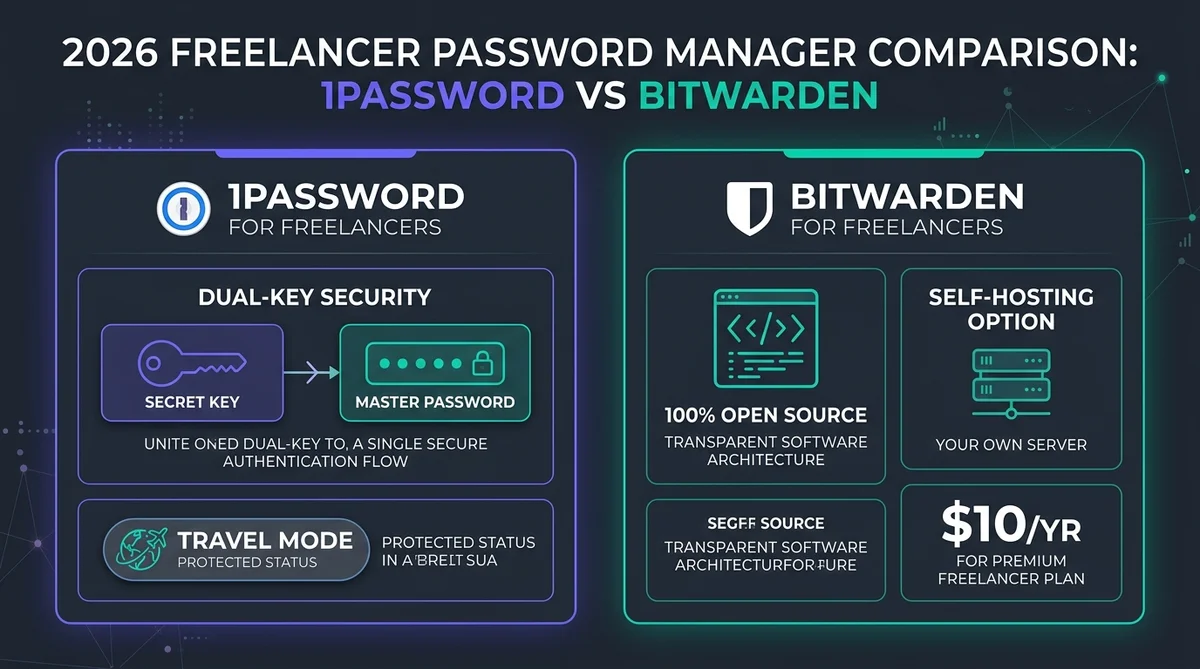
In this 1Password vs Bitwarden comparison, 1Password wins on UI, sharing features, and bonus extras like Travel Mode, while Bitwarden wins decisively on value — one detailed comparison found Bitwarden delivers 90% of 1Password’s functionality for a fraction of the cost.
1 Bitwarden vs 1Password 2026: Is the Price Gap Justified?
On raw pricing, Bitwarden wins by a wide margin: Premium runs $19.80/year, or completely free for the core vault, versus 1Password’s Individual plan at $47.88/year at regular price — roughly 2.4x more. Bitwarden covers the essentials most freelancers actually use; 1Password’s extra cost buys a more polished interface and a few convenience features on top.
A Reddit thread in r/Bitwarden asking directly about real-world experience with both finds the two services now fairly comparable overall, though 1Password still offers notably better features for sharing logins and vaults. As Security.org puts it directly: “When it comes to security, 1Password and Bitwarden are almost neck and neck.” Whether you searched for 1Password vs Bitwarden 2026 or bitwarden vs 1password 2026, the underlying question is the same: both handle two-factor authentication and run cross platform on every major OS, so the deciding factors end up being price and sharing tools rather than core security.
2 What Do Independent Comparisons Find Between 1Password and Bitwarden?
Beyond our own testing, several independent 1Password vs Bitwarden comparisons reach a similar conclusion. CyberInsider’s 8-test comparison concludes 1Password nails mainstream needs, but Bitwarden offers more flexibility for power users and those on less common browsers.
Security.org specifically credits 1Password with bonus features like Travel Mode and automatic backups, while confirming Bitwarden is the cheaper option. PasswordManager.com names Bitwarden the winner specifically on advanced 2FA features, a notable specific edge. If you’re weighing this decision purely on independent testing, the sources above are a reasonable starting point before you factor in your own workflow.
3 What Are 1Password’s Standout Features in 2026?
In evaluating 1Password vs Bitwarden, 1Password earns its premium price tag through unique usability safeguards that aren’t available in standard open-source alternatives:
- Travel Mode, which hides selected vaults entirely during border crossings
- Stronger sharing tools for logins and vaults — a recurring theme in the 1Password vs Bitwarden sharing comparison, confirmed directly by real Bitwarden users on Reddit
- A more polished UI and UX, according to a detailed independent technical comparison
4 Security Architecture: How Does Each Protect Your Vault?
A February 2026 ETH Zurich study on password manager security under active malicious-server attacks tested Bitwarden, LastPass, and Dashlane (finding 12, 7, and 6 exploitable attacks respectively); 1Password was not part of that comparison.
- 1Password Dual-Key: Master Password combined with a local 128-bit Secret Key renders server-side brute-force computationally impossible.
- Bitwarden Zero-Knowledge: AES-CBC 256-bit with PBKDF2 (600,000 rounds) or Argon2id; entirely open source and self-hostable.
- Threat Model Verdict: Both offer bank-grade client-side encryption; 1Password provides higher passive breach resilience, while Bitwarden offers complete code auditability.
In the 1Password vs Bitwarden security breakdown, both use AES-256 encryption — the same standard used by banks and governments — but this is where the security comparison actually gets interesting: they differ in how they implement key derivation and where your vault is processed:
| Security feature | 1Password | Bitwarden |
|---|---|---|
| Encryption standard | AES-256-GCM | AES-256-CBC |
| Key derivation | PBKDF2-SHA256 (650,000 iterations) | Argon2id (default) or PBKDF2 |
| Zero-knowledge | ✅ Yes | ✅ Yes |
| Local vault decryption | ✅ Device-side only | ✅ Device-side only |
| Secret Key (extra factor) | ✅ Required (34-character key) | ❌ Not available |
| Open source | ❌ Proprietary | ✅ Fully open source |
| Self-hosting | ❌ Cloud only | ✅ Vaultwarden supported |
1Password’s Secret Key is its most distinctive security feature — a 34-character key generated on your device that never leaves it. Even if your master password is compromised, an attacker cannot decrypt your vault without this key. Bitwarden’s use of Argon2id (memory-hard hashing) makes brute-force attacks computationally expensive, partially compensating for the absence of a second secret. On raw cryptography alone, this matchup is close enough that either choice is defensible for a freelancer’s threat model.
5 Which Password Manager Passed Independent Security Audits?
Both Bitwarden and 1Password publish independent security audit summaries and operate on a zero-knowledge architecture, meaning neither company can read your stored passwords.
- 1Password Certifications: SOC 2 Type II certified plus ISO 27001, 27017, 27018, and 27701.
- Bitwarden Audits: Comprehensive annual audits conducted by Cure53 and Insight Risk Consulting with public PDF reports.
- Bug Bounty: Both vendors maintain active public bounty programs on Bugcrowd and HackerOne.
On the audit front of our 1Password vs Bitwarden evaluation, the track record is remarkably close: both services have undergone third-party security audits — a baseline requirement for any tool handling client credentials:
- 1Password: Annual penetration testing by Cure53 (most recent: 2023 report available on request). SOC 2 Type 2 certified. Bug bounty programme via Bugcrowd.
- Bitwarden: Annual audit by Cure53 (2022 and 2023 reports publicly available at bitwarden.com/open-source). SOC 2 Type 2 certified. Open-source code allows community security review year-round.
Bitwarden’s public audit reports give it a transparency edge — any freelancer or client can verify the findings. 1Password’s reports require an NDA request, which is standard for enterprise software but less accessible. On audits specifically, this gap favors Bitwarden for anyone who wants to check the paperwork themselves.
6 How Do Platform Compatibility and Browser Support Compare?
On raw platform coverage in 1Password vs Bitwarden, the comparison is nearly a tie — the real differences show up in the extras, like watch apps and self-hosting.
| Platform | 1Password | Bitwarden |
|---|---|---|
| Windows / macOS / Linux | ✅ | ✅ |
| iOS / Android | ✅ | ✅ |
| Chrome / Firefox / Edge / Safari | ✅ | ✅ |
| Command line (CLI) | ✅ | ✅ |
| Biometric unlock | ✅ Face ID, Touch ID, Windows Hello | ✅ Face ID, Touch ID, Windows Hello |
| Watch app | ✅ Apple Watch | ❌ |
| Self-hosted server | ❌ | ✅ (Vaultwarden) |
7 What Are the Known Limitations of 1Password and Bitwarden?
Understanding the real-world trade-offs in 1Password vs Bitwarden requires looking closely at where users hit friction in everyday freelance workflows:
Privacy Guides’ community discussion frames Bitwarden as having a moderate UI with enough features but less than 1Password overall, while being open-source and cheap — a fair tradeoff summary echoed across most sources here. Neither tool is without friction: 1Password’s Secret Key, while a genuine security advantage, becomes a real problem if you lose it and your Emergency Kit PDF along with it — recovery without losing both is not possible by design.
Bitwardem’s more utilitarian interface means some settings (like configuring organization-level export permissions) take a few more clicks to find than their 1Password equivalents, and its self-hosting option via Vaultwarden, while popular, is a community-maintained project rather than something Bitwarden officially supports end-to-end.
8 1Password vs Bitwarden 2026: How Do They Compare Side-by-Side?
Here is how 1Password vs Bitwarden stack up directly across core freelance features, security architectures, and long-term pricing:
| Factor | 1Password | Bitwarden |
|---|---|---|
| Value | Higher price, no free tier | 90% of the functionality for a fraction of the cost (per tech-insider.org) |
| 2FA Features | Standard | More advanced (per PasswordManager.com) |
| Sharing & Vaults | Stronger (per real Reddit users) | More limited |
| Best For | Mainstream users (per CyberInsider) | Power users, less common browsers |
9 How Does 1Password vs Bitwarden Pricing Compare in 2026?
Price is where the 1Password vs Bitwarden gap is widest, and it’s the single biggest factor for freelancers on a tools budget
| Plan | Typical Price |
|---|---|
| 1Password Individual | ~$2.99-$3.99/mo |
| Bitwarden Premium | $19.80/year, or free |
Paid annually, 1Password Individual runs roughly $36–$48/year depending on the plan you land on, versus Bitwarden Premium at $19.80/year — a gap that holds up whether you’re comparing monthly or annual billing, since neither offers a meaningfully better rate for committing longer term. For a freelancer treating this as a pure line-item expense, Bitwarden’s free tier alone (unlimited passwords, full sync) already covers the baseline need; the paid gap only becomes relevant once you factor in the features covered above — sharing, Travel Mode, and support responsiveness.
10 What Are the Differences in Free Plans, Desktop Apps, and Authenticators?
On the free-plan question in 1Password vs Bitwarden, the gap is stark: Bitwarden has an actual free plan, not a trial. It offers unlimited passwords, sync across every device, all at $0. The built-in authenticator for 2FA codes needs Premium. 1Password dropped its free tier years ago — every plan starts on a paid individual plan, though a 14-day trial covers the basics before you commit.
On the desktop app front, this comparison is a wash: both ship a native desktop app for Windows, macOS, and Linux, not just a browser extension, so autofill and vault access work the same outside the browser. Where they split is authenticator app behavior: both include a built-in TOTP generator, but neither gives it away: Bitwarden keeps it in Premium, and 1Password includes it in every paid plan. If you already use a separate authenticator app like Authy or Google Authenticator, either password manager will happily coexist with it instead of replacing it.
11 Which Password Manager Is Easier to Set Up and Use Daily?
In terms of setup and onboarding, comparing 1Password vs Bitwarden reveals two distinct design philosophies. Both start with the same first step — install the browser extension and mobile app, then import existing passwords — but the experience diverges from there. This is where most of the day-to-day difference actually shows up for freelancers, not in the spec sheet.
1Password is built around its Secret Key from day one: the setup flow walks you through saving it somewhere safe (a printed Emergency Kit PDF is generated automatically), which adds a step but makes the account genuinely harder to lose access to. Autofill detection across sites is consistently rated more reliable in side-by-side testing, and the UI groups items visually in a way most non-technical users pick up immediately.
Bitwarden skips the extra setup step — no Secret Key to safeguard — so account creation is faster, but the interface is more utilitarian: functional, less polished, occasionally requiring a couple more clicks to reach the same settings 1Password surfaces directly. Importing from another password manager (LastPass, Chrome, 1Password itself) is well-documented and works reliably either way. For a deeper look at Bitwarden on its own, see our full Bitwarden review; for an exhaustive breakdown of vault architecture, Secret Key security, and travel features, read our dedicated 1Password review (2026).
For a freelancer setting this up once and not touching it again: 1Password’s onboarding is smoother. For someone comfortable configuring software and who’d rather skip an extra security step at setup, Bitwarden gets you working faster.
12 How Difficult Is Switching From Another Password Manager?
Most freelancers exploring 1Password vs Bitwarden arrive already using something else — usually LastPass, Chrome’s built-in manager, or a spreadsheet nobody wants to admit to. Both tools handle the switch the same basic way: export a CSV (or, for LastPass, a direct connected import) from the old manager, then import it through the new one’s web vault or desktop app.
On the migration side of this decision, 1Password’s importer recognizes exports from over a dozen competitors automatically and maps fields — usernames, URLs, TOTP secrets — without much manual cleanup. Bitwarden’s import tool covers a similarly long list of source formats and is transparent about exactly which fields transferred and which didn’t, since the process runs through open-source code you can inspect if something looks off.
In both cases, budget 20–30 minutes for a vault of a few hundred entries: most of that time goes to spot-checking duplicate or malformed entries after the import, not the import itself.
One migration detail worth flagging for client work specifically: if you’re inheriting shared logins from a departing team member or a client’s outgoing contractor, do the migration into a fresh vault rather than merging into your personal one, then organize access with collections (Bitwarden) or vaults (1Password) from day one. Retrofitting organization after passwords are already mixed together is the most common cleanup headache freelancers report after a rushed migration.
13 Which Has Better Team and Client Vault Sharing Features?
In the 1Password vs Bitwarden matchup, sharing is the category where the gap matters most if you regularly work with clients, virtual assistants, or subcontractors rather than solo. 1Password’s shared vaults let you grant granular, revocable access to specific credential groups — a client’s CMS login without exposing your own banking vault, for instance — and permissions update instantly across every connected device. Guest accounts (available on Teams and Business plans) let you share a single vault with someone who isn’t a full paid seat, which is a common freelancer pattern: bring a VA in for one project’s credentials without adding them to your whole subscription.
On sharing specifically, the gap narrows but doesn’t close: Bitwarden’s organization and collection system covers the same core need — grouping credentials and assigning member-level access — but real Bitwarden users on Reddit consistently describe the sharing workflow as a couple of extra clicks compared to 1Password’s more visual, drag-and-drop feel. For a freelancer sharing five or six client logins with one VA, that difference is minor. For an agency-style setup juggling a dozen clients and multiple contractors, it compounds enough that several reviewers specifically flag 1Password as the better fit for team-heavy workflows.
Practical takeaway: if sharing credentials with other people is a weekly occurrence in your business, weight this section heavily in your decision. If you’re strictly solo and rarely hand off access, it’s close to a non-factor.
14 How Does Customer Support Compare Between Both Services?
On the customer support side of 1Password vs Bitwarden, response speed only matters until the day you’re locked out of a vault holding every client credential you have — and then it matters enormously. 1Password offers email support across all paid tiers, with priority routing on Business plans, plus an extensive self-serve knowledge base covering recovery scenarios in detail.
This is another area where the gap favors Bitwarden on value: its support reputation is a genuine strength relative to its price: a Trustpilot reviewer specifically called it “really, really great” for a service costing a fraction of the category average, even while flagging one unresolved issue that cost it a full five-star rating. Free-tier Bitwarden users get community forum and email support; Premium and above get faster response times. Neither company publishes hard SLA numbers for individual plans, so treat both as “good but not enterprise-grade instant” — appropriate for a freelancer’s risk tolerance, not necessarily for a larger team with compliance requirements.
15 What About NordPass? How It Compares to 1Password and Bitwarden
NordPass keeps coming up as the third option in this decision, mostly because a lot of freelancers already pay Nord Security for NordVPN. It sits between the other two: cheaper than 1Password on a multi-year plan, more polished than Bitwarden according to most reviewers, but closed-source and billed upfront for one or two years. There is no monthly option.
Here is how the three line up on the numbers that matter for a solo budget. Prices are annual-billing list prices: 1Password and Bitwarden from their official pricing pages, NordPass from Security.org’s NordPass pricing breakdown (updated April 2026). NordPass discounts change often, so check the price at checkout.
| Factor | 1Password | Bitwarden | NordPass |
|---|---|---|---|
| Free plan | No (14-day trial) | Yes, unlimited passwords and device sync | Yes, unlimited passwords and passkeys, but you get logged out when you switch devices |
| Individual plan | $2.99/mo promo, $3.99/mo regular (billed annually) | $1.65/mo ($19.80/year) | $1.89/mo (1-year) or $1.59/mo (2-year) |
| Family plan | $4.49/mo promo, $5.99/mo regular, up to 5 people | $3.99/mo, up to 6 users | $3.69/mo (1-year) or $2.79/mo (2-year), up to 6 users |
| Encryption | AES-256 + Secret Key | AES-256 | XChaCha20 |
| Open source | No | Yes | No |
On security, NordPass has a documented track record but an older one: Cure53 audited it in February 2020, and NordPass Business lists ISO 27001 certification. Bitwarden’s open-source code lets anyone check its work at any time, and 1Password’s Secret Key model protects the vault even if someone gets your master password. All three are zero-knowledge, so none of them can read your vault.
The free plan is where the gap shows. NordPass Free stores unlimited passwords, but it doesn’t keep you signed in across devices and leaves out breach scanning and password health reports. If you work on a laptop and a phone every day, you’ll feel that limit fast. Bitwarden’s free plan has no such catch.
Pick NordPass if you already use NordVPN, want a cleaner interface than Bitwarden, and don’t mind paying for two years upfront to get the lowest price. Skip it if open-source code matters to you, or you need the strongest client sharing, where 1Password still leads. The full breakdown is in our NordPass review.
16 What Is the Best Decision Framework for Freelancers?
To decide between 1Password vs Bitwarden for your specific solo or agency setup, use this direct framework:
Choose 1Password if: You share credentials with a small team or virtual assistant, work across Apple devices and value the polished UX, or need Travel Mode to clear sensitive vaults before crossing borders with client data.
Choose Bitwarden if: You work solo, want full control including self-hosting, need to verify security independently through open-source code, or have a strict tools budget. Bitwarden Premium at $19.80/year remains one of the strongest value propositions in the password manager market.
A few concrete freelancer scenarios to make this less abstract: a solo developer who never shares credentials and self-hosts other tools already will feel most at home with Bitwarden — the open-source auditability and Vaultwarden option fit that mindset. A consultant juggling five active clients, each with a VA or subcontractor who needs partial access, will get more mileage out of 1Password’s guest accounts and instant permission updates than they’ll save in subscription cost. And a freelancer who travels frequently with client data on their laptop has a genuine, non-theoretical use case for Travel Mode that a lower Bitwarden price tag doesn’t offset. Whichever way this call goes for you, revisit it once a year — pricing and feature sets on both sides shift often enough that last year’s answer isn’t guaranteed to be this year’s.
17 What Are the Pros and Cons at a Glance?
Here’s the 1Password vs Bitwarden trade-off distilled to a quick scan:
Summed up, in the 1Password vs Bitwarden evaluation, this pros-and-cons list is what most freelancers actually weigh: 1Password — pros: Travel Mode, stronger sharing for teams, Secret Key adds a hard-to-phish second factor, Apple Watch app. Cons: no free version, priciest of the two, vault reports require an NDA to review.
Bitwarden — pros: genuine free plan, open-source and self-hostable via Vaultwarden, one of the cheapest premium tiers in the category at $19.80/year. Cons: sharing tools feel more limited for teams, UI is functional rather than polished.
18 Bitwarden vs 1Password: What Is the Quick Answer?
Choosing between 1Password vs Bitwarden comes down to one question: do you value price or polish more? Bitwarden wins on value — a genuinely usable free plan and Premium at $19.80/year, versus 1Password’s $36-48/year with no free tier. 1Password wins on experience — smoother onboarding, more reliable autofill, and stronger sharing tools for clients and teams. For a solo freelancer on a budget, Bitwarden vs 1Password isn’t a close call. For someone regularly sharing credentials with clients or a VA, 1Password’s extra cost buys real time saved.
19 Frequently Asked Questions: What Do Users Ask Most?
Which offers better value, 1Password or Bitwarden?
Bitwarden, according to our 1Password vs Bitwarden comparison, delivering 90% of 1Password’s functionality for roughly half the price ($19.80/year vs $35.88–$47.88/year).
Which has better 2FA support?
Bitwarden, according to PasswordManager.com’s direct comparison.
Which is better for sharing passwords with a team?
1Password, confirmed directly by real Bitwarden users on Reddit who still find 1Password’s sharing tools stronger.
How does 1Password’s Secret Key differ from Bitwarden’s master password?
1Password uses a dual-key architecture: your master password plus a 128-bit Secret Key generated locally and stored on an Emergency Kit. Even if someone obtains your master password, they cannot decrypt your vault on a new device without that 128-bit key. Bitwarden uses your master password with PBKDF2 or Argon2id hashing plus standard 2FA (TOTP or YubiKey), which is extremely secure but relies on conventional authentication flow rather than two mathematically combined decryption keys.
Is Bitwarden good enough for most freelancers?
Yes, according to CyberInsider, Bitwarden nails the needs of power users and less mainstream setups, while 1Password better serves typical mainstream needs.
Can I switch between 1Password and Bitwarden later without losing my data?
Yes. Both support standard CSV export, so you’re never locked in permanently. The bigger cost of switching isn’t the data itself — it’s re-configuring shared vaults, team permissions, and browser extensions across every device, which is why it’s worth getting the initial choice right rather than treating either as a trial run.
Which is better if I share credentials with clients or a VA?
1Password, on balance. Its shared vaults and guest-account model are purpose-built for exactly this freelancer scenario, and multiple reviewers and real users cite its sharing workflow as more polished than Bitwarden’s collection-based system. Bitwarden can do it too — it’s just a few more clicks to set up and manage.
Is NordPass a good alternative to 1Password and Bitwarden?
Yes, for freelancers who already use NordVPN and want a polished app at a low multi-year price. NordPass Premium costs $1.59/mo on a 2-year plan, but it is closed-source and has no monthly billing. Its free plan logs you out when you switch devices.
20 1Password vs Bitwarden 2026: What Is the Final Verdict?
Wrapping up this comparison: for most freelancers, Bitwarden’s value proposition is hard to beat, while 1Password remains the better pick if sharing tools, Travel Mode, and polish matter more than price. This 1Password vs Bitwarden comparison ultimately comes down to whether you value polish and sharing (1Password) or open-source transparency and price (Bitwarden).
Start a free 14-day trial of 1Password or create an unlimited free Bitwarden vault.
Related Password & Identity Blueprints
