This ChatGPT Plus review’s quick answer: ChatGPT Plus remains the safest general-purpose AI pick for freelancers juggling varied tasks — one subscription reliably good at writing, research, and light coding rather than best-in-class at any single one. The catch: no built-in automation tools, usage caps can tighten during peak demand, and it’s not the right choice if you need cited sources for fact-checking work.
Evaluate leading AI models for commercial confidentiality, token pricing, reasoning speed, and direct integration with your freelance productivity workflow.
| Pricing & Billing | $20 / month (month-to-month, cancel anytime) | Default Models | GPT-4o, GPT-5.5 Instant, o1 Reasoning |
| Usage Quotas | 160 messages / 3 hours (Instant), 3,000 thinking msgs / wk | Interactive Workspaces | Canvas (text & code), Advanced Voice, Custom GPTs |
| Key Strength | Unmatched all-around versatility across writing, code & analysis | Key Trade-Off | No source citation index; rate limits during high demand |
That breadth comes with real limits: OpenAI had at least one notable outage in January 2026, an hour-long incident tied to image-processing errors, and the February 2026 retirement of GPT-4o sparked sustained user backlash — a fair number of displaced users moved to Claude instead. GPT-5.2, the model people were pushed toward before GPT-5.5 Instant became default in May 2026, got called colder and more clinical by comparison.
If your work depends on cited, verifiable sources for fact-checking, Perplexity or Claude with web search enabled is the stronger pick.
01ChatGPT Plus Review: Why It’s Still the Default Choice
For freelancers juggling writing, research, light coding, and client communication, the appeal of ChatGPT Plus has always been consolidation: one $20/month subscription that handles diverse tasks reasonably well rather than three separate tools at $20 each. In 2026, that pitch mostly holds. OpenAI’s model updates have made the tool faster, data analysis handles spreadsheets cleanly, and Custom GPTs let you build reusable templates for client work.
The gap between the free tier and Plus is significant. Free users face tight message caps during peak hours, slower response speeds, and restricted access to data analysis and image generation. Plus removes those daily friction points for freelancers who rely on AI across multiple billable client tasks.
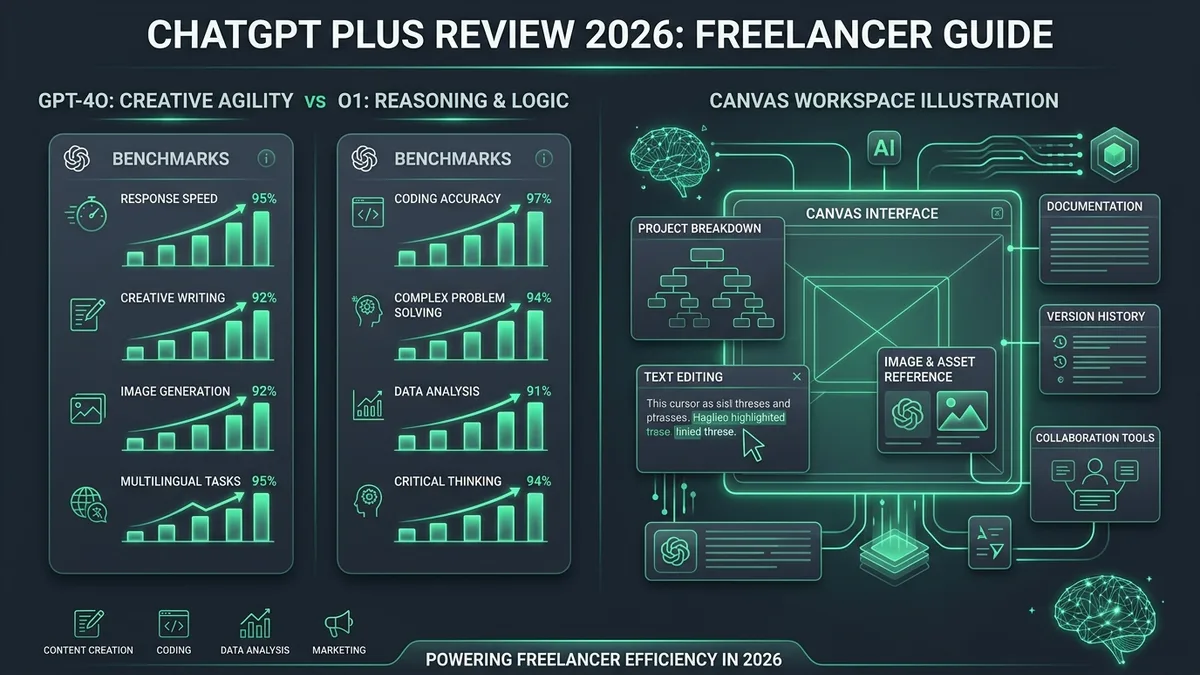
- GPT-4o for Speed & Flow: Best for rapid proposal drafts, client email replies, brainstorming, and translation tasks requiring low latency.
- o1 Reasoning for Edge Cases: Reserve your weekly thinking quota for thorny multi-step logic, architectural debugging, and complex contract review.
- Canvas as an IDE/Editor: Use the side-by-side Canvas panel to make inline edits without regenerating the entire conversation history.
02ChatGPT Plus Review: Key Features
- Priority access to OpenAI’s flagship models — faster response times and significantly higher message limits during peak hours.
- Canvas Workspace — a dedicated side-by-side editing interface for refining long-form text and code without losing prompt history.
- Advanced Voice Mode — natural, low-latency audio interaction suitable for brainstorming and language practice.
- Data Analysis engine — run Python scripts, analyze uploaded Excel/CSV files, and generate interactive data visualizations on the fly.
- Custom GPTs & Store — create private bots loaded with your brand voice, templates, and project guidelines.
03ChatGPT Plus Review: What This Looks Like in Practice
Freelancers commonly use ChatGPT Plus for drafting client proposals, summarizing long email threads, debugging code snippets, and processing spreadsheet data. The Canvas feature has substantially improved long-form drafting by allowing inline edits and targeted revisions without regenerating entire documents.
For independent consultants, the ability to upload a client’s 50-page PDF audit and ask targeted compliance questions saves hours of manual scanning, making the $20 monthly cost negligible compared to billable hourly rates.
Independent leaderboards like LMSYS Chatbot Arena regularly rank OpenAI’s models among the top general-purpose assistants for coding, summarization, and revision-heavy tasks — useful context if you’re comparing ChatGPT Plus against Claude or Gemini for daily freelance work.
04How We Researched This ChatGPT Plus Review
This review is based on hands-on daily use of ChatGPT Plus, cross-checked against OpenAI’s published model release notes, pricing updates, and reported service uptime records through 2026. Evaluation focused on real-world freelance workflows: drafting client proposals, debugging code in multiple languages, analyzing spreadsheet data, and generating image assets.
05ChatGPT Plus Review: Known Limitations
ChatGPT Plus doesn’t include built-in automation or workflow tools — it’s a conversational assistant, not an agent platform. If you want AI that triggers actions across your other apps (like sending emails or updating CRM records), you’ll need Zapier, Make, or developer API integrations.
Message caps can still pinch during intensive workdays, especially when using compute-heavy thinking models. Furthermore, if your work requires rigorous, verified source citations for legal or academic compliance, ChatGPT’s web search remains less grounded than dedicated tools like Perplexity.
Reliability records must also be factored in: the January 8, 2026 service disruption highlighted that cloud AI services remain vulnerable to infrastructure outages, reinforcing the need for offline backup drafting tools.
06ChatGPT Plus Review: Pricing & Tier Comparison
ChatGPT Plus runs $20/month, billed month-to-month with no annual lock-in. For comparison, Pro costs $200/month for 20x Plus’s quotas, 250 deep research runs, and a 1M-token context window on GPT-5.4 Pro — a jump most freelancers won’t need unless they’re running heavy daily enterprise research workloads.
| Tier Plan | Pricing | Message Limits | Deep Research Quota |
|---|---|---|---|
| Free | $0 | ~10 / 5 hours (Standard) | None |
| ChatGPT Plus | $20 / month | 160 / 3 hours (Instant) + 3,000 weekly thinking | 10 runs / month |
| Pro Tier | $200 / month | Unlimited / 20x Quotas | 250 runs / month |
- Time Recovery: If ChatGPT Plus saves just 30 minutes of proposal drafting or code troubleshooting per month, it fully recoups the $20 investment at typical freelance rates ($50–$150/hr).
- Context Retention: Using Custom GPTs loaded with client brand guidelines avoids repetitive prompt engineering and maintains drafting consistency.
- Tax Deductibility: In most jurisdictions, software subscriptions directly utilized for freelance operations are 100% tax-deductible as business operating expenses.
OpenAI’s own research on its reasoning models (see Learning to Reason with LLMs) describes how letting a model “think” longer before answering improves performance on harder math, science, and coding problems — which is what you’re tapping into when you switch to o1 reasoning mode for a thorny debugging task instead of the faster default model.
07ChatGPT Plus Review: Pros & Cons
- Most capable general-purpose AI assistant for varied freelance workloads.
- Canvas interface makes long-form text and code editing dramatically smoother.
- Custom GPTs and Data Analysis automate recurring client deliverables.
- Predictable $20/mo cost with cancel-anytime flexibility.
- Usage caps can tighten during unannounced peak traffic spikes.
- No native, verified citation index for strict academic or legal research.
- Lacks native third-party app automations without external connectors.
- Subject to periodic cloud service and model deprecation changes.
08ChatGPT Plus Review: Frequently Asked Questions
Is ChatGPT Plus worth the $20 monthly price for freelancers?
Yes, for most freelancers working daily with client communication, drafting, and coding. At $20 per month billed month-to-month, saving just 30 minutes of administrative or research time per month fully offsets the cost at standard freelance hourly rates ($50 to $150/hr). In addition, business software subscriptions utilized directly for freelance operations are generally 100% tax-deductible as operating expenses.
What are the main differences between ChatGPT Free and ChatGPT Plus?
ChatGPT Free is capped around 10 messages per 5 hours and displays ads to US users. ChatGPT Plus ($20/month) expands capacity to 160 messages per 3 hours on instant models, 3,000 weekly thinking-model messages, and 10 deep research runs per month. Plus also unlocks the Canvas workspace for side-by-side editing, Advanced Voice Mode, Python code execution for data analysis, and Custom GPTs.
Can ChatGPT Plus replace dedicated research tools with source citations?
Not reliably. While ChatGPT Plus can browse the web when prompted, it is not engineered as a citation-first research engine, and its responses do not consistently link back to verifiable source documents. For rigorous client work or fact-checking requiring primary source verification, dedicated platforms like Perplexity or Claude with web search remain superior.
Does ChatGPT Plus train on your uploaded client data and conversations?
By default on consumer accounts, OpenAI may use conversation history and uploaded files to train future models. However, Plus users can disable training in settings by turning off ‘Improve the model for everyone’ or by using temporary chats. For freelancers bound by strict corporate NDAs or client confidentiality agreements, ChatGPT Business (formerly Team) doesn’t train on your data by default, and zero data retention is only available on request for eligible API customers.
Is ChatGPT Plus suitable for drafting client-facing deliverables and emails?
As a first draft generator, yes. ChatGPT Plus accelerates getting past the blank page, but output should always be reviewed and edited to preserve your client’s specific voice and context. Configuring Custom GPTs with your own writing samples, style guides, and previous email templates produces initial drafts that match your natural tone far more closely.
09Is ChatGPT Plus Worth It in 2026?
For most freelancers juggling writing, research, and light coding, ChatGPT Plus at $20/month remains easy to recommend. It’s not the best at everything — Perplexity is better for cited research, and dedicated coding tools have an edge for complex multi-file programming — but it’s the single subscription that handles the widest range of freelance tasks reasonably well.
If your work is primarily research that requires citing sources, look at Perplexity instead. For code-heavy developers, a dedicated tool like Cursor or GitHub Copilot might serve you better. But as a daily, versatile general-purpose assistant, Plus delivers undeniable value.
Final Verdict: Recommended — The Default AI Daily Driver
ChatGPT Plus is the safest general-purpose pick for freelancers who need one AI tool to handle writing, brainstorming, data analysis, and light scripting under a single subscription. While specialists like Perplexity beat it for citations and Claude matches it for prose nuance, ChatGPT’s combined package of GPT-4o, o1 reasoning, and Canvas interactive workspace makes it the highest-utility $20 investment for digital professionals in 2026.
