In this September 2026 Claude vs ChatGPT comparison, we compare Anthropic’s flagship Claude Sonnet 5 against OpenAI’s GPT-6 Astra and GPT-5.6 Luna across real freelancer deliverables: code refactoring, complex logic, document analysis, and daily client communications. Rather than arbitrary synthetic scores, we evaluate token value, context retention (1,000,000 tokens on Claude Sonnet 5 vs 256K for reasoning and 54K for instant models on GPT-6 Astra), data privacy policies, and real-world reliability to help you decide where to invest your $20/month.
Evaluate leading AI models for commercial confidentiality, token pricing, reasoning speed, and direct integration with your freelance productivity workflow.
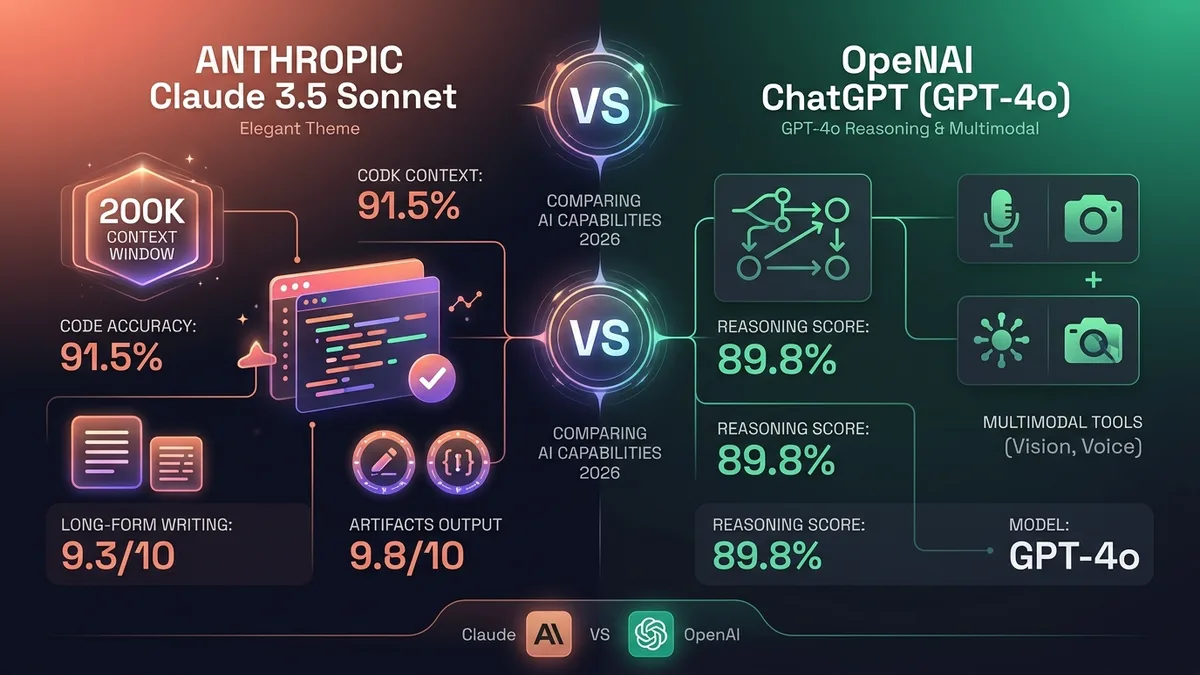
In the September 2026 Claude vs ChatGPT comparison, the split is unambiguous: Claude Sonnet 5 (supported by Anthropic’s lineup including Opus 5, Opus 5.5, and Haiku 4.5) is the undisputed specialist for developers and writers who need code accuracy, a massive 1,000,000 (1M) token context window, and authentic prose. Meanwhile, ChatGPT (powered by GPT-6 Astra on Plus and GPT-5.6 Luna on Free) remains the premier all-in-one generalist with voice, multimodal generation, Python execution, and 256K reasoning models.
1 Claude vs ChatGPT: What Do Real Users Actually Experience in 2026?
When it comes to Claude vs ChatGPT, a Reddit thread in r/ChatGPT offers a direct, opinionated take: the poster says Claude is significantly better in most things, though GPT can still match or beat it in some specific areas, while noting Claude’s usage limits feel severely restrictive by comparison. A separate hands-on content creation test ran a specific writing exercise on both tools and found the difference huge: Claude’s writing felt more natural, more human, more like something the writer would actually publish without heavy editing.
2 Claude vs ChatGPT: What Is the Independent Editorial Consensus?
Zapier’s 2026 comparison concludes ChatGPT is best for users who want an all-in-one AI toolkit, while Claude is best for users focused on coding and thoughtful writing. A separate 2026 comparison frames the distinction similarly: ChatGPT feels more like a powerful AI toolkit built for execution, while Claude feels more focused on thoughtful communication. Morphllm’s benchmark comparison specifically notes Claude produces more natural prose with better tone matching, while ChatGPT is better for structured content at scale and brainstorming.
3 Claude vs ChatGPT for Developers: Which Platform Fits Software Engineering?
One developer’s account describes Claude as more of a backup tool, stepping in specifically when ChatGPT struggles with a given task, and vice versa — a useful reminder that many technical users keep both rather than picking one exclusively. G2’s 30-day usage comparison concludes Claude is often better out-of-the-box for writing, while ChatGPT offers more flexibility with prompting and style control.
4 Claude vs ChatGPT for Coding: How Do Claude Sonnet 5 and GPT-6 Astra Compare?
Narrowed specifically to coding tasks, the Claude vs ChatGPT coding comparison reflects distinct architectural strengths in late 2026: Claude Sonnet 5 (alongside Opus 5.5 for long agentic coding workflows) is frequently reported as superior at holding entire multi-file codebases in its 1,000,000 (1M) token context without losing track of architectural dependencies or hallucinating syntax. In contrast, ChatGPT — powered by GPT-6 Astra on ChatGPT Plus — offers 256K reasoning tokens for isolating deep algorithmic logic puzzles alongside a 54K instant execution model for rapid boilerplate, script execution in its sandboxed Python interpreter, and broad community troubleshooting. For a freelance developer choosing one tool for daily coding work, the practical test is whether your workflow prioritizes comprehensive codebase refactoring (Claude Sonnet 5) or interactive scripting and algorithmic debugging (GPT-6 Astra).
5 Claude vs ChatGPT Side-by-Side: What Do the Comparative Metrics Show?
| Factor | Claude | ChatGPT |
|---|---|---|
| Long-form writing | More natural prose (per Morphllm) | Better for structured content at scale |
| Best Overall Fit | Coding and thoughtful writing (per Zapier) | All-in-one toolkit (per Zapier) |
| Usage Limits | Felt restrictive per one Reddit user | Generally more generous on paid tiers |
6 Claude vs ChatGPT Pricing: What Do the $20/Month Paid Tiers Include?
Both tools list a free tier and a $20/month paid plan (ChatGPT Plus, Claude Pro) on their official pricing pages, which makes them look interchangeable on price alone — they’re not, once you look at what that $20 buys. ChatGPT Plus adds GPT-6 Astra access (with 256K reasoning models and 54K instant models), image generation, and browsing in one bundle. Claude Pro’s $20 buys access to Claude Sonnet 5 (and Opus 5), higher usage headroom, and access to a 1,000,000-token (1M) context window for long documents, but no built-in image generation — you’re paying specifically for depth on text and code, not a broader toolkit.
For a freelancer deciding between the two on price alone: if client work involves reviewing long contracts, transcripts, or codebases in one sitting, Claude’s context window is the more relevant spec. If the daily need is closer to research, drafting, and the occasional generated image for a proposal deck, ChatGPT Plus covers more ground per dollar.
7 Claude vs ChatGPT Limitations: Where Does Each AI Model Trip Up?
Neither tool is uniformly better, and the gaps are specific rather than vague. Claude’s free tier message limits reset on a rolling window that fills up fast during a focused work session — several Reddit threads flag this as the main friction point for anyone not on the paid plan. ChatGPT’s known weak spot is the opposite problem: broad competence with occasional overconfidence, producing a fluent-sounding answer that’s subtly wrong on a niche technical detail, which matters more for client-facing deliverables than casual use.
Neither issue is a dealbreaker on its own, but they explain why the developer accounts cited above describe using both rather than picking a single winner — each tool’s blind spot is roughly where the other one is strong.
8 Claude vs ChatGPT Privacy: How Is Sensitive Client Data Protected?
For freelancers handling client contracts, financial data, or unreleased product details, what happens to a prompt after you hit send matters as much as the output quality. On consumer plans, both tools now work the same way by default: since Anthropic’s 2025 policy change, Claude (Free, Pro, Max) can use your chats to train its models unless you turn that off in the privacy settings, and ChatGPT does the same unless you disable it in Data Controls. ChatGPT also offers Temporary Chat for one-off conversations that aren’t used for training. On business plans (Claude Team and Enterprise, ChatGPT Business and Enterprise), your data isn’t used for training by default.
Neither difference is dramatic enough to rule a tool out on its own, but if you’re pasting a client’s NDA-covered contract into a chatbot to summarize it, checking the current data retention settings on whichever tool you use is worth five minutes. For a full breakdown of Claude’s training setting, retention periods and the 2026 “Claudy Day” vulnerability, see is Claude safe for client work. Business and Team tiers on both platforms generally offer stronger contractual data protections than the consumer plans, which is the tier most agencies default to once a freelancer graduates from solo work to handling multiple client accounts. If you’re tempted by a cheaper alternative, read our guide on whether DeepSeek is safe before pasting any client material into it.
9 Claude vs ChatGPT for Teams: Which Workspace Offers Superior Collaboration?
Solo freelancers rarely need this, but the moment you’re subcontracting or working inside a small agency, how a tool handles shared access starts to matter. ChatGPT’s Team plan bundles shared chat histories, an admin console, and custom GPTs that a whole group can reuse — useful if multiple people are drafting client proposals off the same template. Claude’s Team plan focuses more narrowly on shared usage pools and centralized billing, with Projects acting as the closest thing to a shared workspace: you can drop reference documents into a Project and every conversation inside it inherits that context, which works well for a team all writing in one client’s voice.
Neither tool has genuinely collaborative real-time editing the way a shared Google Doc does — both are still fundamentally single-conversation tools that happen to be billed per seat. If real-time multi-editor collaboration is the actual requirement, neither Claude nor ChatGPT replaces a proper shared-editing tool; they’re better thought of as a drafting layer that feeds into one.
10 Claude vs ChatGPT for Long Documents: How Does Context Window Impact Work?
A freelancer reviewing a 40-page client contract, a technical spec, or months of Slack export logs runs into context window limits fast, and this is where the two tools diverge more than the marketing pages suggest. Claude Sonnet 5’s massive 1,000,000-token (1M) context window means it can hold hundreds of pages of client documentation, full books, or an entire multi-repo codebase in a single conversation without needle-in-a-haystack retrieval degradation. While ChatGPT Plus offers a respectable 256,000-token (256K) context window for its GPT-6 Astra reasoning models and 54,000 tokens (54K) for instant executions, long multi-document synthesis can encounter compression or retrieval loss on the middle sections of extensive uploads compared to Claude’s 1M capacity.
In practice, this matters most for a specific kind of freelance work: legal and compliance review, due diligence documents, or any task where missing a clause buried on page 22 has real consequences. For shorter day-to-day tasks — drafting an email, outlining a blog post, brainstorming a pitch — the context window difference rarely comes up, since neither tool gets close to its limit.
11 Claude vs ChatGPT Annual Cost: What Is the True Expense for Freelancers?
At face value, both tools cost the same $20/month, or $240/year, on their standard paid tier. But the real cost comparison for a freelancer isn’t the subscription price alone — it’s what else you’d otherwise pay for that the subscription replaces. ChatGPT Plus bundles image generation, which for a freelancer who occasionally needs a mockup, moodboard image, or proposal-deck visual can replace a separate $10–20/month image tool. Claude Pro doesn’t include image generation, but its higher usage ceiling and context window can replace the need for a separate document-analysis or transcription tool for anyone regularly working with long files.
The freelancers referenced throughout this piece who pay for both are effectively spending $480/year combined — still less than a single mid-tier project management or design tool subscription, and for anyone billing client hours, the time saved on a single well-handled contract review or draft revision tends to cover the cost many times over in a given month.
12 Claude vs ChatGPT Framework: How Should Freelancers Choose Their Tool?
Stripped of the feature comparisons, the choice usually comes down to three questions. First: does the work involve reading or writing code more than half the time? If yes, the developer accounts cited earlier consistently lean toward Claude, or toward using both with Claude as the primary. Second: does the deliverable need to sound like a specific person’s voice rather than a generic AI-competent draft? Writers and copywriters across the sources here repeatedly flag Claude’s output as needing less editing to sound human. Third: is the workflow closer to research-and-brainstorm across many small tasks rather than deep work on one long document? That pattern favors ChatGPT’s broader toolkit and generally more generous free-tier limits.
When it comes to Claude vs ChatGPT, none of these questions has to produce a single winner — plenty of the freelancers and developers referenced throughout this piece pay for both and switch based on the task in front of them, which at $40/month combined is still less than most single SaaS subscriptions freelancers already carry.
13 Claude vs ChatGPT FAQ: What Are the Most Common User Questions?
Which AI is better for writing and drafting, Claude or ChatGPT?
Claude is widely preferred for long-form writing, editorial drafting, and client communications because Claude Sonnet 5 generates more nuanced, human-sounding prose with varied sentence rhythm, avoiding the repetitive transitions and generic corporate tropes typical of AI outputs. ChatGPT (powered by GPT-6 Astra and GPT-5.6 Luna) is faster for generating initial outlines, brainstorming angles, and producing rapid first drafts, but usually requires heavier human editing to match a natural tone.
In the Claude vs ChatGPT coding comparison, which model is better for developers?
Claude (powered by Claude Sonnet 5, with Opus 5.5 available for long agentic builds) excels at complex code refactoring, understanding full multi-file codebases within its 1M token window, and rendering interactive front-end components live using its Artifacts UI. ChatGPT (powered by GPT-6 Astra on Plus with 256K reasoning tokens and 54K instant models) is superior for isolating algorithmic logic puzzles, step-by-step mathematical debugging, and running Python scripts directly in a cloud sandbox to analyze data files and generate charts.
How do the context windows and document limits compare between Claude and ChatGPT?
Claude Pro offers an industry-leading 1,000,000-token (1M) context window on Claude Sonnet 5 with exceptional document retention, allowing freelancers to upload full books, 40-page client contracts, or entire multi-repository codebases within Claude Projects for comprehensive synthesis. ChatGPT Plus features a 256,000-token (256K) context window for its GPT-6 Astra reasoning models and a 54,000-token (54K) window for instant models; while capable of handling extensive documents, users running massive multi-document analyses face stricter token ceilings than Claude’s 1M window.
What are the main differences between Claude Pro and ChatGPT Plus at $20/month?
Both subscriptions cost $20 per month billed month-to-month, but their strengths differ in late 2026. ChatGPT Plus provides a broader all-in-one feature set powered by GPT-6 Astra, including Advanced Voice Mode, image generation, cloud Python data analysis, 256K reasoning models, and 54K instant generation. Claude Pro focuses strictly on cognitive quality with Claude Sonnet 5 (and access to Opus 5), offering superior writing style, front-end Artifacts, and a massive 1,000,000-token context window for deep document analysis.
Do Claude and ChatGPT train their models on your uploaded client data?
On standard consumer free and $20/month paid plans, both OpenAI and Anthropic may use conversation transcripts to train future AI models unless you actively opt out in your account settings. Freelancers can disable training in Claude by toggling off data sharing in privacy controls, or in ChatGPT by disabling ‘Improve the model for everyone.’ For strict client confidentiality, both platforms offer business tiers (ChatGPT Business and Claude Team) that don’t train on your data by default.
14 Final Verdict: Which AI Assistant Wins the 2026 Claude vs ChatGPT Matchup?
Claude vs ChatGPT ultimately comes down to your primary use case — long-form, natural-sounding writing favors Claude, while broad, execution-focused versatility favors ChatGPT, with many freelancers ultimately keeping both. See more AI tool comparisons →
