Mastering cybersecurity for freelancers in 2026 is no longer about buying enterprise antivirus software — it is about establishing an airtight personal security stack across your network, credentials, authentication, and client data for under $15 a month.
Find out what web trackers uncover about your canvas rendering, WebGL parameters, screen dimensions, and hardware fingerprint across every freelance portal you browse.
Select your primary freelance workflow to diagnose your immediate cybersecurity exposure:
Priority Architecture: Credential & Repo Isolation. Enforce a dedicated zero-knowledge password vault, isolate client browser profiles, require hardware-based 2FA on GitHub/AWS, and enforce least-privilege API scoping.
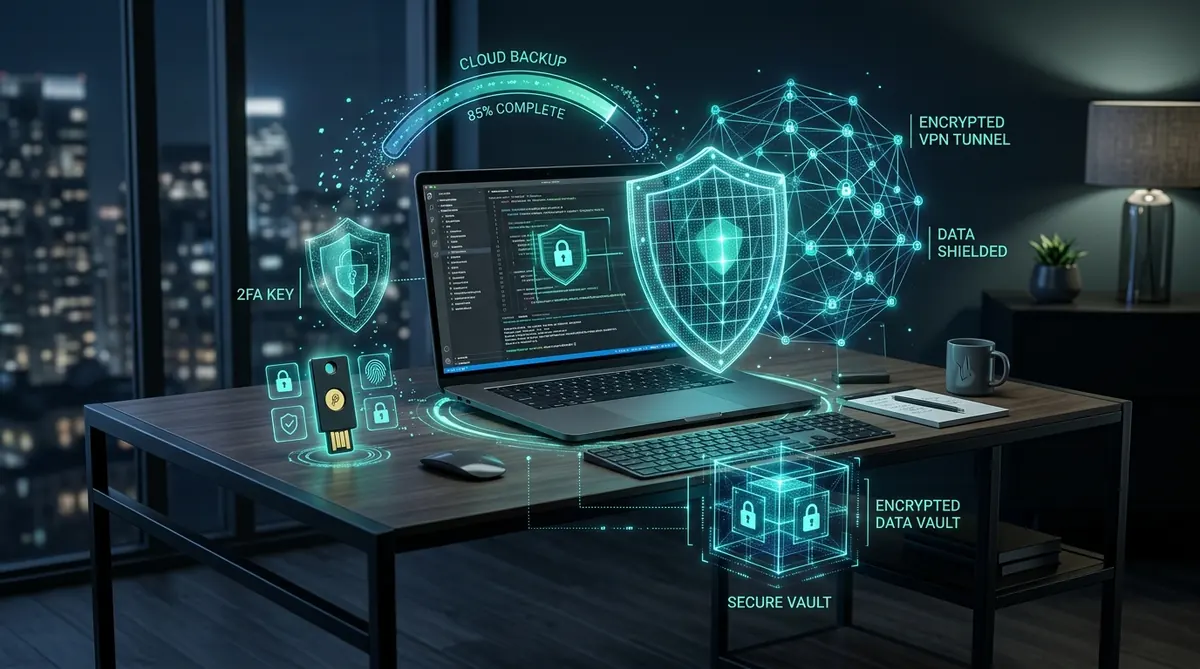
| Stack Core Purpose | Holistic cybersecurity for freelancers covering connection, credentials, identity, and disaster recovery |
| The 4 Essential Pillars | 1. WireGuard VPN • 2. Password Manager • 3. Multi-Factor Auth (2FA) • 4. Automated 3-2-1 Cloud Backup |
| Estimated Monthly Cost | $0 to $15 / month (achievable with open-source tools like Bitwarden, Ente Auth, and affordable cloud storage) |
| Immediate Risk Reduction | Blocks over 90% of automated credential stuffing, session hijacking, phishing fraud, and ransomware loss |
| Audit Frequency | 90-minute annual audit + quarterly recovery code verification |
01 Why Freelancer Cybersecurity Is Different
In a traditional enterprise, cybersecurity is invisible to employees. IT departments centrally patch operating systems, enforce strict Endpoint Detection and Response (EDR) agents, configure hardware firewalls, and maintain automated daily off-site backups.
When you become an independent professional, you inherit that entire operational surface yourself. Yet, most advice on cybersecurity for freelancers fails because it attempts to impose cumbersome enterprise protocols onto solo creators. You cannot run a dedicated security operations team, but you also cannot afford a breach that wipes out years of client trust.
The threat landscape for solopreneurs is fundamentally asymmetrical. Cybercriminals rarely execute tailored, Hollywood-style zero-day exploits against freelancers. Instead, they leverage automated botnets to harvest leaked passwords, spoof freelance platform escrow alerts, and probe unencrypted public Wi-Fi connections. Robust cybersecurity for freelancers is about eliminating the low-hanging fruit that automated tools exploit.
02 The Four Pillars of a Freelancer Security Stack
Regardless of your field — whether you are a software developer, ghostwriter, video editor, or management consultant — practical cybersecurity for freelancers rests upon four non-negotiable defensive layers:
Encrypted Connection (VPN)
Shields your local IP address and DNS queries on untrusted Wi-Fi. Consult our complete VPN & Digital Security Guide to choose an audited, no-logs provider.
Password Manager Vault
Eliminates human memory. Generates unique 20+ character passwords for every client platform. Read our Password Managers Complete Guide for deep reviews.
Two-Factor Authentication
Requires a second physical or cryptographic verification factor. Follow our Two-Factor Authentication Setup Guide to phase out insecure SMS.
Automated 3-2-1 Backups
Guarantees instant ransomware recovery. Review our Cloud Storage & Backup Guide and comparison of Dropbox vs Drive vs OneDrive.
When these four pillars operate synchronously, they form a resilient perimeter that protects your revenue, client confidentiality, and personal identity.
03 How We Evaluate Freelance Security Guidance
Unlike corporate whitepapers filled with abstract jargon, our evaluation framework for cybersecurity for freelancers prioritizes actionable return-on-effort:
- Friction vs. Security Ratio: Any security tool that adds more than 5 seconds of friction to a daily workflow will eventually be disabled. We recommend tools that seamlessly integrate into remote routines.
- Total Financial Cost: Freelancers need sustainable overhead. A professional-grade security stack should never exceed $15 per month.
- Zero-Knowledge Encryption: We exclusively recommend services where the provider cannot decrypt your data, even under government subpoena.
- Authoritative Standards: Our recommendations align directly with official cybersecurity frameworks, including CISA Cybersecurity Best Practices and the NIST Cybersecurity Framework.
04 The 5 Steps That Prevent 90% of Breaches
If you only have two hours this weekend to fortify your business, focus strictly on the five high-leverage steps of cybersecurity for freelancers that block nine out of ten attacks:
- Install a Password Manager: Migrate all credentials out of web browsers into Bitwarden or 1Password. Check your email on Have I Been Pwned to identify past breaches.
- Activate App-Based 2FA on Email & Banking: Lock down your primary inbox with an authenticator app (Ente Auth, 2FAS) or hardware security key.
- Enable Full Disk Encryption: Turn on FileVault (macOS) or BitLocker (Windows). If your laptop is stolen at a coffee shop, your client files remain unreadable.
- Turn On Automatic Operating System Updates: Cybercriminals weaponize known exploits within hours of public disclosure. Automated patching neutralizes this vector.
- Automate an Encrypted Cloud Backup: Configure continuous background syncing for your project folders using a zero-knowledge cloud backup provider.
05 The Complete 15-Step Freelancer Cybersecurity Checklist
Beyond the initial five rapid-fire steps, establishing comprehensive cybersecurity for freelancers requires auditing every layer of your hardware, browser, and client communication pipeline.
We have codified this into a dedicated, actionable blueprint. Review our complete 15-Step Freelancer Cybersecurity Checklist, which walks through browser cookie partitioning, Wi-Fi router DNS hardening, and credential hygiene.
06 Recognizing Phishing Attacks on Freelance Platforms
Freelance platforms such as Upwork, Fiverr, and Freelancer.com have emerged as premier hunting grounds for credential harvesting. Scammers exploit freelancers’ eagerness to land new contracts by sending weaponized job briefs (.zip or .exe files) or fake platform security suspension warnings.
Official guidance from the Federal Trade Commission (FTC) on phishing scams underscores that manufactured urgency is the number one telltale sign of fraud. Never agree to communicate off-platform during initial outreach, and consult our Recognizing Phishing Attacks Field Guide for detailed scam breakdowns.
07 Implementing Zero Trust Security as a Solopreneur
In enterprise environments, CrowdStrike defines Zero Trust as mandating stringent identity verification for every user and device attempting to access network resources.
For a solo professional, cybersecurity for freelancers incorporates Zero Trust by assuming that all local networks are hostile and strictly isolating client environments. Never commingle client files, and enforce isolated browser profiles for each client engagement. Dive into our complete guide on Zero Trust Security for Freelancers for architectural blueprints.
08 Running Your Own Annual Security Audit
Digital security is not a one-time configuration; it experiences gradual “entropy” as old client accounts accumulate and obsolete browser extensions linger. Conducting a periodic review is vital for effective cybersecurity for freelancers.
Set a recurring calendar notification to run our 90-minute Annual Security Audit Template. This process verifies offline recovery codes, purges dormant API tokens, and ensures your emergency response readiness.
09 Emergency Incident Protocol: First 60 Minutes After a Breach
If you suspect an active compromise — such as clicking a malicious link or noticing unauthorized outbound emails — swift, methodical action prevents catastrophe:
- Sever Network Connectivity (0–5 Minutes): Turn off Wi-Fi and unplug Ethernet immediately to halt data exfiltration and command-and-control communication.
- Rotate Root Credentials From a Clean Device (5–20 Minutes): Using a clean secondary smartphone, reset the master password for your primary email and password manager. Enforce “Log out of all active sessions”.
- Revoke Financial & Platform Access Tokens (20–40 Minutes): Invalidate Stripe API keys, bank access tokens, and cloud repository OAuth grants.
- Notify Affected Clients (40–60 Minutes): If client deliverables or credentials were exposed, transparent professional disclosure preserves trust far better than trying to conceal the incident.
If mobile credentials were involved in the intrusion, consult our diagnostic checklist on determining if your phone is compromised.
10 Securing Your Home Office Network
Most freelancers configure their home Wi-Fi router once and forget about it for five years. Securing your base of operations is a cornerstone of cybersecurity for freelancers:
- Change Default Router Admin Credentials: Default passwords like
admin/adminallow local network malware to modify DNS routing effortlessly. - Segment Smart Home Devices onto an Isolated IoT Guest Network: Cheap smart bulbs and smart speakers rarely receive security patches. Quarantining them onto a separate guest SSID ensures they cannot snoop on your work laptop.
- Disable Remote Management & WPS: Wi-Fi Protected Setup (WPS) features a vulnerable 8-digit PIN that can be cracked via brute-force in hours.
11 Browser Hardening & Endpoint Protection
Independent contractors spend over 80% of their workday inside a browser. Hardening this primary workspace is essential for your daily operational security:
Audit your installed extensions ruthlessly — rogue extensions have frequently been purchased by malicious actors to inject crypto-drainers and session-harvesting scripts. Test your browser’s exposure level by executing our free Browser Fingerprint Test.
12 Client Security Questionnaires: What Enterprise Clients Expect
As enterprise organizations face strict supply chain audits, they increasingly send freelancers mandatory cybersecurity questionnaires before signing contracts.
Possessing a documented, verifiable security stack — demonstrating full disk encryption, password managers, hardware-backed 2FA, and verified backups — transforms security from a compliance hurdle into a powerful sales differentiator that wins high-ticket enterprise retainers.
13 Common Cybersecurity Myths Debunked
Misconceptions often prevent freelancers from taking sensible precautions:
- Myth 1: “I’m too small to be targeted.” Cybercriminals do not target individuals; automated bots scan millions of IP addresses for unpatched vulnerabilities and leaked passwords indiscriminately.
- Myth 2: “Macs do not get malware.” Modern infostealers (such as Atomic macOS Stealer / AMOS) specifically target macOS Keychain, browser session cookies, and crypto wallets.
- Myth 3: “Antivirus alone protects me.” Antivirus software cannot prevent phishing links, credential stuffing, or SIM-swapping attacks.
14 Curated SafeStackPro Security Blueprint Hub
Explore our dedicated tactical guides to implement each component of cybersecurity for freelancers:
15 Frequently Asked Questions About Cybersecurity for Freelancers
What is the single most important step in cybersecurity for freelancers?
How much does a complete cybersecurity stack cost for a solo contractor?
Do I really need a VPN if all the websites I visit use HTTPS?
How does freelance cybersecurity differ from corporate IT?
The SafeStackPro Standard: Freelancer Defense Verdict
Sound cybersecurity for freelancers does not require paranoia or expensive enterprise software. By anchoring your daily workflow to an encrypted password vault, continuous two-factor authentication, an audited VPN, and automated backups, you neutralize 99% of digital threats and protect your professional reputation.
