Microsoft OneDrive is often viewed simply as the default cloud folder bundled into Windows. However, for solo professionals, consultants, and agencies managing contracts, spreadsheets, and deliverables, it represents one of the most cost-efficient cloud storage tiers available in 2026. This comprehensive OneDrive Review 2026 examines whether its 1 TB storage bundle, Personal Vault security architecture, and deep Microsoft 365 integration make it a smarter choice for freelancers than standalone alternatives like Google Drive and Dropbox.
Compare Microsoft OneDrive side-by-side with Google Drive, Dropbox, and Backblaze on per-TB pricing, zero-knowledge encryption, versioning history, and operating system integration.
Compare Cloud Storage Tools →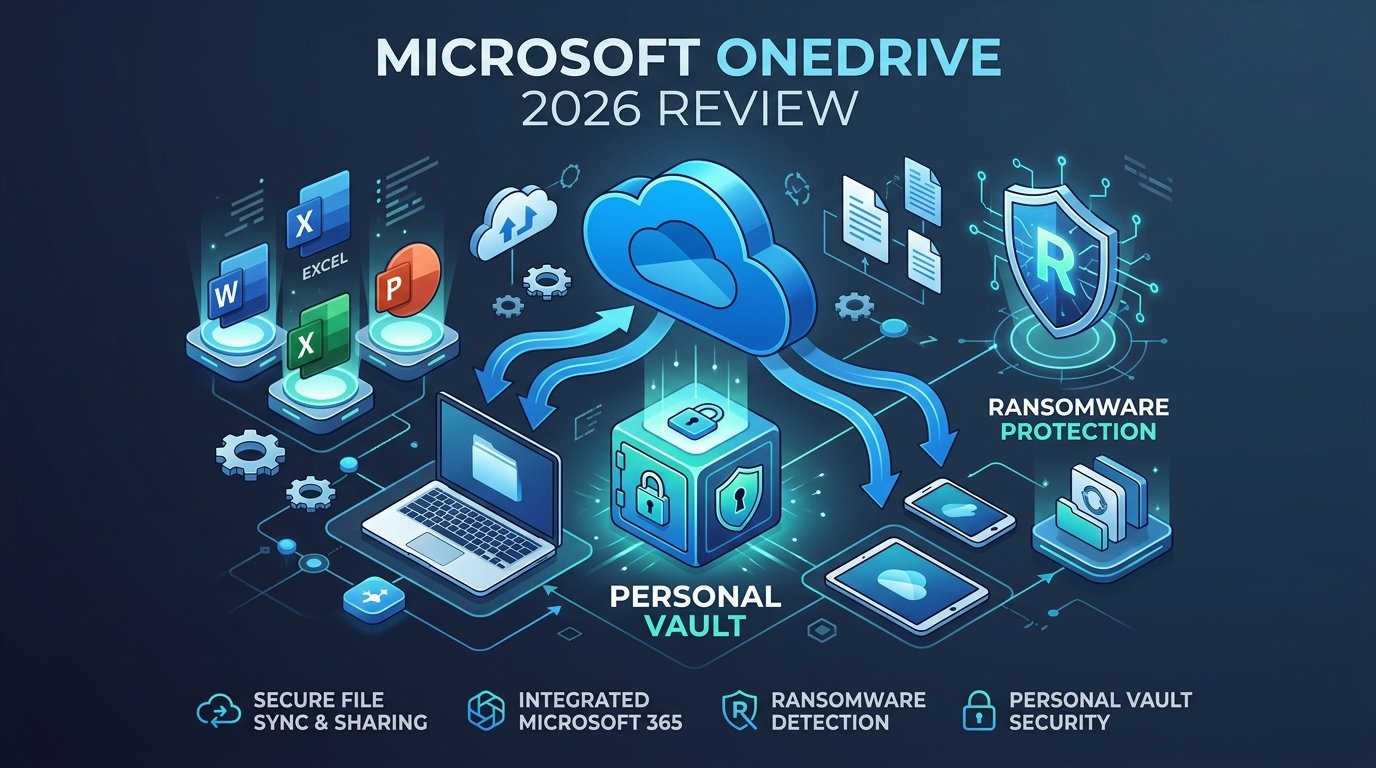
| Plan Tier | Monthly Price | Annual Price | Storage | Personal Vault | Ransomware Rollback |
|---|---|---|---|---|---|
| Free Tier | $0.00 | $0.00 | 5 GB | Limited (3 files max) | None |
| Microsoft 365 Basic | $1.99/mo | $19.99/yr | 100 GB | Unlimited files | 30-day detection & recovery |
| Microsoft 365 Personal | $9.99/mo | $69.99/yr | 1 TB (1,000 GB) | Unlimited files | 30-day detection & recovery |
| Microsoft 365 Family | $12.99/mo | $99.99/yr | 6 TB (1 TB/person, up to 6) | Unlimited files | 30-day detection & recovery |
| M365 Business Basic | $6.00/user/mo | $72.00/user/yr | 1 TB/user | Enterprise Security Controls | Exchange & SharePoint retention |
1 Pricing & Plans: OneDrive Review 2026 Breakdown
When assessing cloud storage economics for this OneDrive Review 2026, context matters. If evaluated strictly as a bare-bones digital storage locker, OneDrive’s free tier is restrictive: offering just 5 GB of storage, it pales in comparison to the 15 GB provided by Google Drive. However, once you examine paid consumer and professional tiers, Microsoft’s bundling strategy fundamentally alters the value proposition for freelancers.
According to official Microsoft 365 pricing documentation, four primary consumer tiers exist in 2026:
- Free Tier (5 GB): Intended for basic document synchronization across devices. Does not include ransomware protection, and restricts the encrypted Personal Vault to a maximum of 3 individual files.
- Microsoft 365 Basic ($1.99/mo or $19.99/yr): Provides 100 GB of cloud storage, ad-free Outlook web and mobile mailboxes, unlimited Personal Vault file storage, and automated ransomware detection with 30-day file recovery. Desktop Office applications are not included.
- Microsoft 365 Personal ($9.99/mo or $69.99/yr): Provides 1 TB (1,000 GB) of cloud storage along with full, offline desktop installations of Microsoft Word, Excel, PowerPoint, and Outlook for PC, Mac, and iPad. When billed annually ($69.99/yr), the effective cost is $5.83 per month.
- Microsoft 365 Family ($12.99/mo or $99.99/yr): Supports up to 6 individual users, allocating 1 TB of private, independent cloud storage to each account (6 TB total) along with desktop Office apps. For freelance couples, creative partnerships, or small boutique studios, this represents one of the most aggressive per-TB pricing models in the technology industry.
The Discontinuation of Standalone Business Plans
For freelancers consulting this OneDrive Review 2026 to explore enterprise options, note an important structural change: Microsoft has phased out direct public subscriptions for standalone OneDrive for Business Plan 1 and Plan 2. Instead, commercial cloud storage is now directly bundled into Microsoft 365 Business Basic ($6.00/user/month) and Business Standard ($12.50/user/month).
For solo independent contractors, this means you do not need to register a complex corporate tenant. Our OneDrive Review 2026 pricing analysis confirms that the consumer Microsoft 365 Personal plan ($69.99/year) delivers the optimal balance of capacity, desktop software, and cloud synchronization without enterprise IT overhead.
2 Storage Architecture & Personal Vault: OneDrive Review 2026 Analysis
Understanding how OneDrive handles file transfer and local synchronization reveals why it behaves distinctly from browser-centric competitors.
Block-Level Differential Synchronization
A key finding in this OneDrive Review 2026 is that one of its greatest technical assets is differential synchronization (also known as block-level sync). When you modify a 50 MB Excel workbook or PowerPoint deck with financial projections, traditional cloud storage services often re-upload the entire 50 MB file to the cloud.
Our OneDrive Review 2026 architectural breakdown confirms that OneDrive analyzes file changes at the binary block level, transmitting only the modified data chunks. This drastically reduces bandwidth consumption, speeds up sync turnaround times, and minimizes file version conflict errors when working on unstable home or coworking Wi-Fi networks. While block-level sync historically applied only to native Office formats, Microsoft has expanded differential sync across common media and archive extensions.
The Personal Vault: Isolated Encryption Architecture
For freelancers reading this OneDrive Review 2026 to safeguard confidential assets: client contracts, tax identification documents, identity verification passports, and API backup keys. OneDrive addresses this through a dedicated protected partition known as the Personal Vault.
As highlighted throughout this OneDrive Review 2026, the Personal Vault incorporates several defense-in-depth architectural safeguards:
- BitLocker Volume Encryption: On Windows 10 and 11 systems, the local cache of Personal Vault files is stored in a dedicated BitLocker-encrypted area of your local drive, ensuring that unauthorized local processes or malware cannot read cached files when locked.
- Mandatory Multi-Factor Authentication: Accessing the Personal Vault requires re-authentication on every session via the Microsoft Authenticator app, a FIDO2 hardware security key, or biometric verification (Windows Hello / Apple Touch ID). Entering your standard Windows account password alone will not grant access.
- Automated Inactivity Timeout: By default, the Personal Vault automatically locks after 20 minutes of inactivity on the web, or a user-configurable duration (typically 20 minutes to 4 hours) on desktop and mobile. Once locked, local decrypt keys are purged from active memory.
- Tier Limitations: A key practical distinction in this OneDrive Review 2026 is that on the Free 5 GB plan, Microsoft limits the Personal Vault to 3 files. On Microsoft 365 Basic, Personal, and Family subscriptions, the Personal Vault has no file count restriction, allowing you to secure your entire sensitive client archive up to your plan’s storage limit.
- Forced 2FA challenge on every unlock session
- Local BitLocker drive encryption on Windows
- Automatic timeout locking prevents shoulder surfing
- Unlimited file count on paid Microsoft 365 tiers
- Free tier strictly restricted to 3 files total
- Keys held by Microsoft (server-side, not zero-knowledge)
- Auto-locking can interrupt active multi-hour document editing
- No granular per-subfolder permission sharing inside the Vault
3 Security, Encryption & GDPR Compliance Specs
Security compliance is a decisive factor for freelancers bound by client Non-Disclosure Agreements (NDAs), European GDPR mandates, or international privacy standards.
Data in Transit and at Rest
Security standards verified during our OneDrive Review 2026 research show robust encryption across Azure data centers:
- Encryption in Transit: All communication between your client device and Microsoft data centers is secured using Transport Layer Security (TLS 1.2 and TLS 1.3) with Perfect Forward Secrecy.
- Encryption at Rest: Customer files stored on OneDrive servers are encrypted using AES-256 bit encryption. Individual file chunks are encrypted with unique keys, which are in turn encrypted with master keys stored in Azure Key Vault.
- Per-File Key Rotation: Microsoft employs BitLocker encryption across physical server storage media, complementing per-file application-layer encryption.
Ransomware Detection & 30-Day Point-in-Time Restore
When evaluating disaster recovery for this OneDrive Review 2026, ransomware defense stands out as a critical requirement for independent professionals. If a malicious payload executes on your workstation and encrypts your local documents folder, cloud sync tools that replicate modifications immediately risk syncing the encrypted files to the cloud. Sync is not a backup, a distinction we break down in our cloud backup guide for freelancers.
Specifically documented in this OneDrive Review 2026, Microsoft 365 subscriptions incorporate an automated ransomware detection engine. When Microsoft’s telemetry identifies signature patterns of widespread rapid file alteration or known ransomware extensions, it takes two immediate actions:
- Sends an alert to your verified email and mobile device notifying you of suspicious activity.
- Freezes automated sync and provides an automated Files Restore interface, allowing you to rewind your entire OneDrive library to an exact timestamp up to 30 days prior to the infection.
The Zero-Knowledge Reality Check
A critical caveat emphasized throughout this OneDrive Review 2026 is an undeniable architectural reality: OneDrive is not a zero-knowledge service.
Microsoft retains administrative and cryptographic control of the decryption keys for consumer and standard business accounts. This means Microsoft’s automated systems scan uploaded files for policy violations, and Microsoft can theoretically decrypt stored data if presented with a lawful subpoena, National Security Letter, or court order.
If your freelance work involves classified defense materials, highly sensitive whistleblowing data, or medical records subject to strict patient confidentiality, you must either pre-encrypt files locally with an open-source tool like Cryptomator before uploading, or deploy a purpose-built zero-knowledge provider like Sync.com or Proton Drive.
4 Microsoft 365 Integration & Native Windows Workflow
Analyzing everyday freelance operations for this OneDrive Review 2026 shows that OneDrive truly shines for professionals embedded in the Windows and Office ecosystems.
Files On-Demand: Preserving Local NVMe Storage
Modern ultrabooks frequently ship with fast but modest 512 GB or 1 TB NVMe solid-state drives. Attempting to sync an entire 1 TB cloud repository locally would saturate storage immediately.
In this OneDrive Review 2026, the Files On-Demand feature proves essential, allowing you to browse your entire cloud library directly within Windows File Explorer or macOS Finder without downloading the actual file content. Files appear with three clear status icons:
- Online-only (Blue cloud icon): Takes 0 bytes of local disk space; metadata is cached and the file streams on-demand when clicked.
- Locally available (Green checkmark in white circle): Temporarily downloaded when opened, but can be cleared by the operating system if disk space runs low.
- Always keep on this device (Solid green checkmark): Permanently pinned to local storage for guaranteed offline access on flights or during remote travel.
Real-Time Co-Authoring & AutoSave
From a workflow perspective in this OneDrive Review 2026, freelancers collaborating with enterprise clients who operate on Word, Excel, and PowerPoint OneDrive provides seamless multi-cursor real-time co-authoring. Edits made inside desktop Office applications sync incrementally every few seconds with built-in version history.
Unlike third-party sync folders where editing an open Excel spreadsheet can cause file lock errors or duplicate (Conflicted Copy) files, OneDrive communicates directly with the Office rendering engine to reconcile simultaneous edits gracefully.
The macOS Experience: A Vastly Improved Reality
A frequent question addressed in this OneDrive Review 2026 concerns Apple hardware: historically, OneDrive on macOS suffered from indexing delays and CPU consumption. Following Microsoft’s complete migration to Apple’s native File Provider API, the Mac client operates with significantly greater stability. While still marginally less fluid than Apple’s native iCloud Drive or Dropbox’s dedicated Mac client, OneDrive on macOS Monterey, Ventura, Sonoma, and Sequoia is fully viable for cross-platform freelance work.
5 Technical Limitations & Security Drawbacks
An authentic OneDrive Review 2026 must also spotlight where the software falls short or creates workflow bottlenecks. During our detailed architectural analysis, four clear limitations emerged:
1. Client Sharing Friction with Non-Microsoft Users
When sharing client deliverables, friction kills professional credibility. While Google Drive allows virtually any client to view or comment using ubiquitous Google accounts or incognito browser sessions, OneDrive sharing links occasionally present awkward sign-in prompts or verification code walls for clients who do not use Microsoft 365.
2. The Risk of Automated Account Flags
Like all hyperscale cloud operators, Microsoft employs automated AI-driven scanning to flag abusive content, copyright infringements, or terms of service violations. Multiple community reports highlight scenarios where legitimate freelance photographers or researchers had their Microsoft accounts unexpectedly locked with limited avenues for rapid human appeal.
One of the most important operational warnings in this OneDrive Review 2026 is that a Microsoft account lock freezes not only OneDrive but also your primary Outlook email and Office licenses, you must never treat OneDrive as your sole backup repository. Adhering to the 3-2-1 Backup Rule—pairing OneDrive daily sync with an independent cloud backup system like Backblaze and an offline external SSD—is essential risk management.
3. File Upload Limitations
OneDrive enforces a maximum single file size upload limit of 250 GB. While this easily accommodates software builds, databases, and multi-gigabyte client ZIP archives, creative video editors handling raw 8K video reels or virtual machine images should verify their individual asset sizes before committing.
6 Comparison: OneDrive vs Google Drive vs Dropbox
To put this OneDrive Review 2026 in broader perspective, the comparative matrix below matches OneDrive against Google Drive and Dropbox. In our comprehensive OneDrive Review 2026 shootout, each platform serves distinct freelance specializations across parameters critical to freelance operations. For our complete 3-way evaluation, read our detailed Google Drive vs Dropbox vs OneDrive 2026 Comparison.
| Specification | Microsoft OneDrive | Google Drive | Dropbox |
|---|---|---|---|
| Free Storage | 5 GB | 15 GB (Shared) | 2 GB |
| Entry Paid Tier | $1.99/mo (100 GB) | $1.99/mo (100 GB) | $9.99/mo (2 TB) |
| 1 TB / 2 TB Pricing | $69.99/yr (1 TB + Office Apps) | $99.99/yr (2 TB Google One) | $119.88/yr (2 TB Plus) |
| Sync Technology | Differential / Block-Level | Full-File / Delta Hybrid | Fast Block-Level |
| Encrypted Vault | Personal Vault (2FA built-in) | None (Standard drive folders) | Dropbox Vault (PIN protected) |
| Desktop Office Apps | Included (Personal & Family) | Web-Only (Google Docs/Sheets) | None (Requires separate license) |
| Zero-Knowledge Option | No (Server AES-256) | No (Workspace CSE addon) | No (End-to-End addon only) |
| Ideal Freelancer Role | Windows & Office Pros | Agencies & Web Collaborators | Designers & Creative Studios |
7 Frequently Asked Questions (FAQ)
Is OneDrive safe enough for client contract and financial documents? (OneDrive Review 2026)
Yes, provided you store them inside the Personal Vault and enable multi-factor authentication (MFA) on your Microsoft account. The Personal Vault adds BitLocker encryption on local Windows storage, an automated inactivity timeout, and secondary authentication challenges. However, for client records requiring strict zero-knowledge confidentiality (such as medical or defense contracts), client-side pre-encryption with Cryptomator is recommended.
Can I use OneDrive as my complete backup solution?
No. Cloud synchronization is not full-system disaster backup. While OneDrive protects against accidental file deletions and ransomware via its 30-day version history, it does not create bootable system images or protect against account bans. Freelancers should implement the 3-2-1 backup strategy, combining OneDrive with dedicated automated cloud backup from Backblaze.
What happens to my files if I cancel my Microsoft 365 subscription?
If your subscription lapses, your storage allowance drops back to the free 5 GB tier. Your files are not immediately deleted; Microsoft grants a grace period (typically 30 to 90 days) during which you can view and download all your files, but you cannot upload new assets or edit existing documents until storage usage drops below 5 GB.
Does OneDrive work reliably on Apple Mac computers?
Yes. Since adopting Apple’s native File Provider API in modern macOS releases, OneDrive operates cleanly with native Files On-Demand and Finder badges. However, Windows users still experience the most cohesive integration, particularly with real-time Office AutoSave and local BitLocker encryption.
8 SafeStackPro Editorial Verdict: OneDrive Review 2026 Summary
SafeStackPro Editorial Verdict: Recommended for Windows & Office Users
This OneDrive Review 2026 confirms that Microsoft OneDrive offers extraordinary economic value for freelancers. At $69.99 per year for Microsoft 365 Personal, you receive 1 TB of high-speed cloud storage, differential block-level synchronization, and full desktop installations of Word, Excel, and PowerPoint—effectively delivering cloud storage at near-zero marginal cost if you already require Office.
However, it is Recommended with Caveats: its lack of zero-knowledge encryption means privacy-critical files should be pre-encrypted, and its occasional client-sharing friction makes Google Drive a superior alternative for cross-platform team collaboration.
