Quick answer: Notion trades a steep setup curve for long-term flexibility — docs, wikis, and project databases in one connected workspace instead of five separate apps. The catch: full AI features (Notion Agent, AI Meeting Notes) require the $20/month Business plan, not the cheaper Plus tier, and the mobile apps have documented lag and sync issues, worse on Android.
Compare relational databases, Kanban boards, client guest portals, time tracking, and team pricing tiers across the top productivity platforms.
Select your primary operational structure to see the right Notion tier:
Recommendation: Stick to the $0 Free tier or lightweight markdown notes. Notion is overkill unless you manage relational databases.
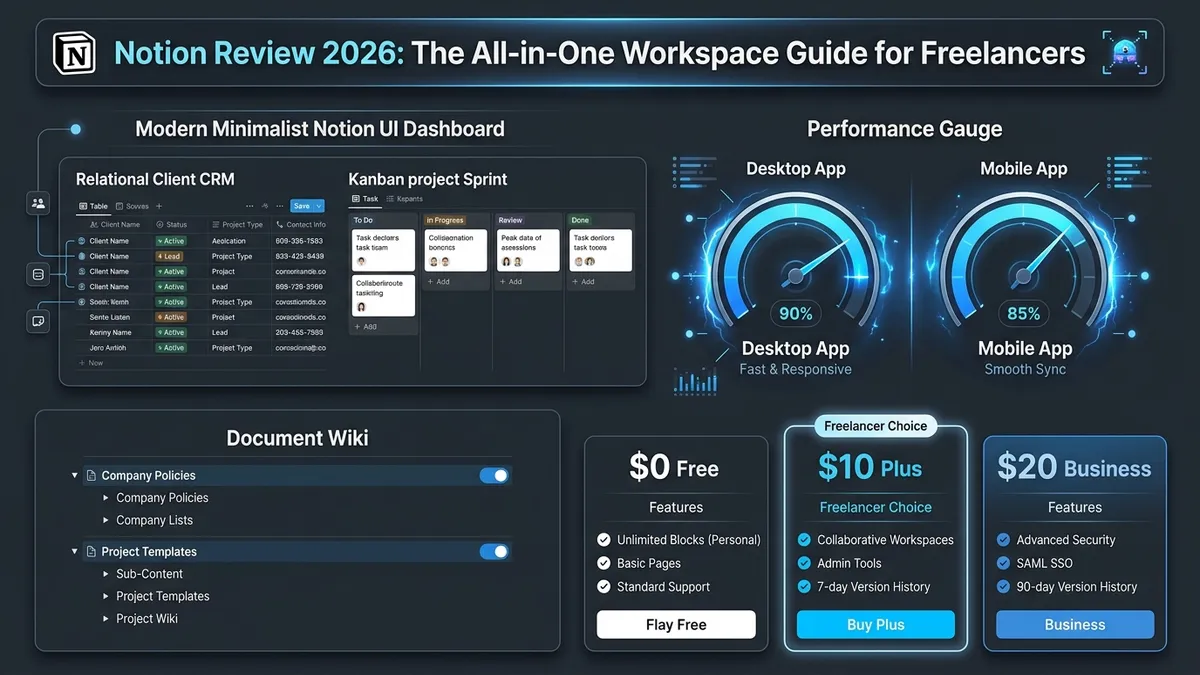
| Free Tier ($0) | Unlimited blocks for solo users, basic page sharing, 5MB file upload limit | Best For | Single freelancers with straightforward note and task requirements |
| Plus Plan ($10/user/mo) | Unlimited file uploads, 30-day page version history, higher guest limit than Free | Best For | Active freelancers managing multiple client portals & relational databases |
| Business Plan ($20/user/mo) | Full Notion AI Agent, 90-day history, SAML SSO, private teamspaces | Best For | Boutique agencies needing autonomous workflow agents & advanced permissions |
01Why the Setup Cost Is the Real Trade-Off
Notion isn’t slow or buggy — it’s just unopinionated. Unlike a task app that tells you where your to-dos go, Notion gives you a blank page and expects you to build the system yourself. That’s either liberating or paralyzing, depending on how much time you want to spend organizing your work rather than actually doing it.
For freelancers, that setup time is unbillable. If you spend two full days tweaking views, building custom database relations, and color-coding tags, you need to be confident the system will save you more time over the next year than it consumed upfront. For complex client operations, it often does. For a simple freelance writer or developer with three steady retainers, it rarely does.
02Key Features
- Docs, wikis, and project databases — all live in one connected workspace rather than fragmented tools.
- Flexible database views — toggle effortlessly between Table, Kanban Board, Calendar, Timeline, and Gallery views for the same data.
- Relational databases — link your Client CRM directly to Project Tasks, Invoices, and Meeting Notes.
- Granular page permissions & Guest access — invite clients as guests to view or edit specific project portals without paying for a seat (10 external guests on the Free plan, more on paid plans).
- Templates ecosystem — thousands of pre-built community frameworks for freelance project tracking and client onboarding.
03What This Looks Like in Practice
Freelancers commonly use Notion as a combined client CRM, project tracker, and knowledge base — keeping project briefs, meeting notes, invoice trackers, and deliverable links connected across one database structure rather than scattered across Google Docs, Trello, and a spreadsheet.
When an active client asks for a status update on a specific milestone, you don’t scramble across email threads: you open their portal page where the live database automatically reflects completed tasks, deliverables in review, and outstanding assets.
The trade-off shows up most on mobile: Notion’s relational databases are genuinely powerful on desktop, but aggregated user reports point to recurring lag and sync issues on the mobile apps, especially on Android.
04How We Researched This Notion Review
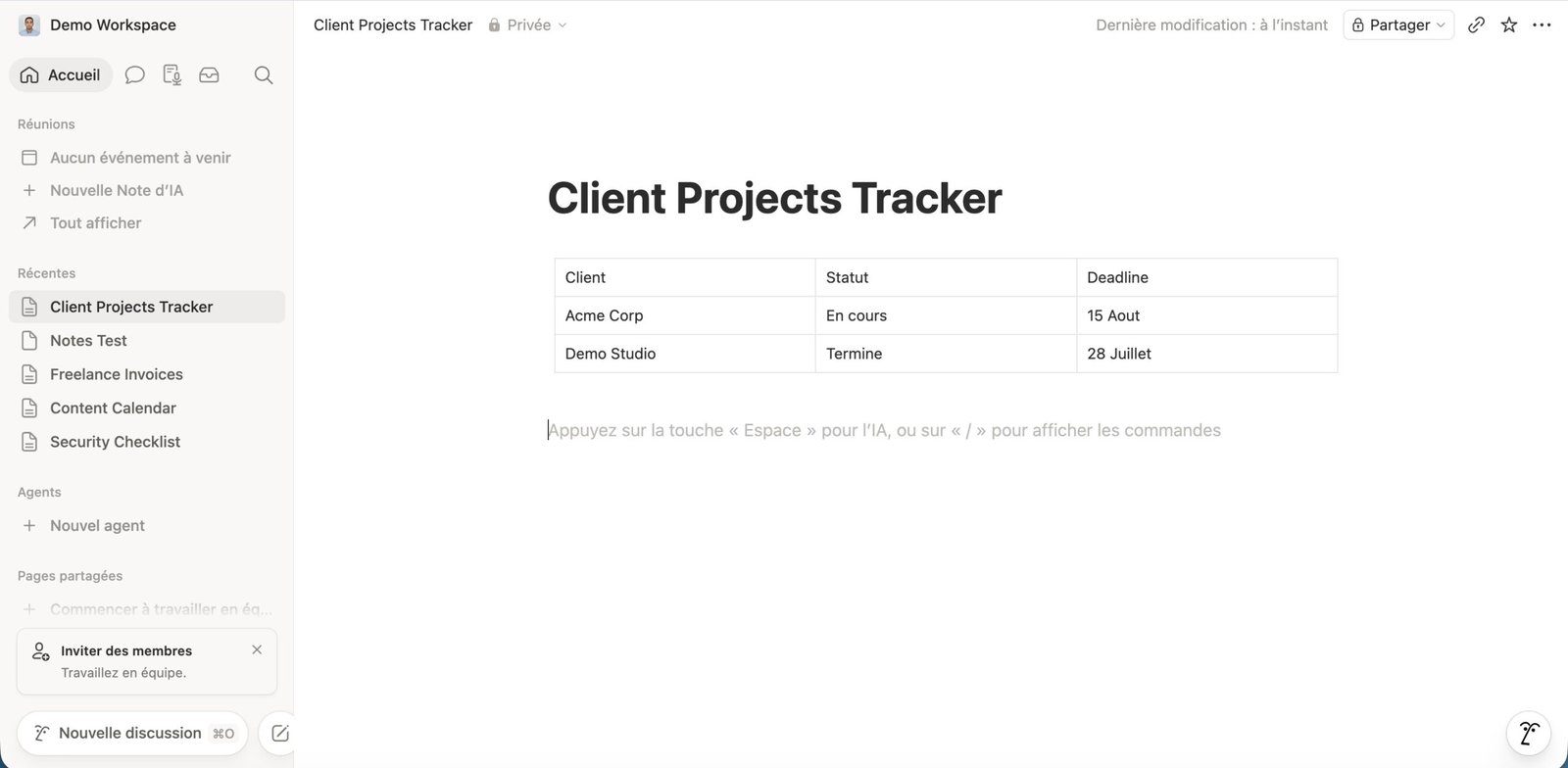
We use Notion’s Free plan on a Mac ourselves for notes and article drafts, so the setup curve, database views, and desktop experience described here come from that. We haven’t paid for Plus or Business and don’t use the mobile apps: everything about paid-plan features, Notion AI, and mobile performance comes from Notion’s official documentation, pricing page, and security pages, plus long-term user feedback from Reddit and Trustpilot. Where those user reports matched our own experience, like the setup cost only paying off once real structure is built, we treated that as the stronger signal.
05Known Limitations
The learning curve is real — expect to spend real hours (not minutes) building a system that actually fits your workflow. If you want something that works straight out of the box with zero configuration, ClickUp or a simpler tool like Trello is a better fit.
Mobile app performance has been a consistent weak spot: cold starts can be sluggish and heavy database pages stutter when scrolling on mid-range phones. Offline mode has existed since August 2025, but it only covers pages you’ve downloaded in the desktop or mobile apps (the Free plan makes you pick pages manually; paid plans auto-download recent and favorite pages), and only the first 50 rows of a database come along. Native notes apps like Apple Notes or Obsidian still handle offline work more reliably.
Finally, Notion’s full AI features (Notion Agent, Meeting Summaries) require upgrading to the $20/month Business tier, meaning Plus subscribers don’t get autonomous AI workflows included in their base plan.
- Build Only What You Need: Never spend days designing an elaborate aesthetic dashboard before you have real client projects to populate it. Start with a simple 3-column table and expand organically.
- Desktop-First Workflow: Treat Notion primarily as your desktop command center. For rapid mobile note capture on the go, use Apple Notes or Google Keep, then batch-transfer into Notion weekly.
- Backup Your Workspace: Notion does not offer native point-in-time local backups. Regularly export your full workspace as Markdown/HTML or CSV to prevent accidental loss of client records.
06Security and Compliance
For freelancers handling client data under NDAs, Notion’s compliance paperwork is solid on paper: annual third-party audits for SOC 2 Type II and ISO 27001/27017/27018/27701, plus HIPAA (with a BAA on Enterprise) and BSI C5. Data is encrypted at rest with AES-256 and in transit with TLS 1.2 or higher. On GDPR, keep in mind that workspaces are hosted in the United States by default: EU data residency (Frankfurt, with Ireland as backup) is only available on the Enterprise plan.
The bigger catch for a security review: Notion does not offer end-to-end encryption. Notion holds the encryption keys, so its staff can technically access workspace content, which it says only happens in limited cases such as support or account recovery. Account-level controls also scale with the plan: SAML SSO starts on Business, while SCIM provisioning and data residency are Enterprise-only. For a freelancer, that means Notion is fine for project docs and client portals, but passwords, API keys, and highly sensitive client files belong in an end-to-end encrypted tool instead.
However, compliance is a shared responsibility: Notion is the data processor, but you are the data controller. Enterprise certifications don’t protect you if you accidentally configure a client’s confidential strategy page with public link-sharing enabled. Always audit sharing settings before sending portal links.
07Pricing & Plan Breakdown
Notion runs four tiers in 2026: Free ($0), Plus ($10/user/month billed annually, $12 billed monthly), Business ($20/user/month billed annually, $24 billed monthly), and Enterprise (custom). The tier that actually matters for AI: full Notion AI access — including the multi-step Notion Agent and AI Meeting Notes — moved to the Business plan; Free and Plus only get a limited AI trial.
| Tier Plan | Annual Price | Monthly Price | File Uploads | Version History |
|---|---|---|---|---|
| Free | $0 | $0 | 5MB per file | 7 days |
| Plus | $10 / user / mo | $12 / user / mo | Unlimited | 30 days |
| Business | $20 / user / mo | $24 / user / mo | Unlimited | 90 days |
- Member ($10–$20/mo): Has full access to workspace teamspaces and can create top-level pages. Only add business partners as Members.
- Guest (100% Free): Can view and edit specific shared pages, comment on tasks, and upload assets. Always assign clients, VAs, and subcontractors as Guests.
Freelancers who consolidate documentation, task tracking, and client wikis into a single relational workspace like Notion tend to report less time lost switching between tools — fewer tabs, fewer places to check, less context to reload each time.
08Pros & Cons
- Extremely flexible — adapts to docs, projects, client portals, or relational CRMs.
- One connected workspace replaces multiple disjointed SaaS subscriptions.
- Free plan is genuinely usable indefinitely for solo freelancers.
- Vibrant community template library slashes initial setup time.
- Steep initial learning curve compared to rigid out-of-the-box tools.
- Mobile app performance exhibits noticeable lag and sluggish sync on Android.
- Full Notion AI Agent features locked behind the $20/mo Business plan.
- No native offline point-in-time automated backup system.
09Notion Reviews: The Short Version
Across independent Notion reviews, the consensus is consistent: Notion is the most flexible all-in-one workspace available, but that flexibility comes with a real setup investment. If you’re willing to spend the hours needed to build a system that matches how you work, it pays off in long-term clarity. If you want something that just works out of the box with zero tinkering, look at simpler alternatives.
Notion for Personal Use
Outside client work, the Free plan is enough for most people: a single user gets unlimited blocks, so notes, reading lists, habit trackers, and personal projects all fit without paying. That’s how we use it ourselves, on a Mac. The limits you’ll actually notice are the 5MB cap per uploaded file, 7 days of page history, and Notion AI being a trial only. If you mostly want quick capture on your phone, a simpler notes app will feel faster.
10Frequently Asked Questions
Is Notion worth it for a solo freelancer, or is it overkill?
Notion is well worth the initial setup if you manage multiple clients, recurring deliverables, and project documentation that benefit from connected relational databases. However, if your workflow only requires simple checklists or quick scratchpad notes, Notion may feel like overkill because the upfront configuration time will outweigh the benefits.
Does Notion’s free plan cover real freelance client work?
The $0 Free plan is workable for basic solo note-taking and lightweight task tracking. However, active freelancers managing multi-client retainers typically upgrade to the Plus plan ($10 per month) to unlock unlimited file uploads (bypassing the 5MB free limit), 30-day page version history, and a higher guest limit than the Free plan’s 10 external guests, so you can share more project portals without paying for extra team seats.
Can you share Notion pages with clients without paying for extra seats?
Yes. You can share specific project dashboards, review boards, and resource wikis with clients by inviting them as Guests with view or edit permissions rather than adding them as full Workspace Members. Guests don’t cost a seat. The Free plan caps you at 10 external guests; paid plans raise that limit, so check Notion’s pricing page for the current number before you onboard a lot of clients.
Is Notion AI included in the standard Plus plan?
No. Full Notion AI features—including the autonomous Notion Agent, AI Meeting Notes, and integrated workspace Q&A—require the Business plan priced at $20 per user per month. The Free and Plus plans only include a very limited temporary trial of AI prompts.
What are the main limitations and downsides of Notion for freelancers?
Notion’s primary drawbacks are its steep initial learning curve, an offline mode that only covers pages you’ve downloaded in the desktop or mobile apps (not the web version), and noticeable mobile application lag on Android devices. Furthermore, if you need automated dependency scheduling or native time billing, specialized tools like ClickUp or Asana may be more suitable.
Is Notion secure enough for client data?
For most freelance work, yes. Notion encrypts data at rest with AES-256 and in transit with TLS 1.2 or higher, and it is audited for SOC 2 Type II and ISO 27001. It does not offer end-to-end encryption, though, so Notion holds the keys and can technically access content (its staff only do so in limited cases like support or recovery). Keep passwords, API keys, and highly sensitive client files out of Notion.
Is Notion good for personal use?
Yes. The Free plan has no block limit for a single user, so you can run notes, a reading list, habit tracking, and personal projects without paying. The main catches are the 5MB file upload cap, 7-day page history, and only a trial of Notion AI. We use the Free plan on a Mac ourselves for notes and drafts.
Final Verdict: Recommended — The Ultimate Freelance Command Center
Notion rewards the setup time with unmatched long-term flexibility once your workspace is built. For freelancers managing multi-client retainers, connected databases, and project portals, the $10/month Plus plan is one of the highest-return investments in software. Keep your setup simple, leverage community templates, and manage collaborators as free Guests to avoid unnecessary fees.
